Best Soldering Stations for Your Maker Workshop in 2026
Find the right soldering station for your electronics projects by balancing thermal stability, price, and essential features like ESD safety.
By the Niche Picks editorsUpdated November 8, 202610 min readDrawn from our 33 research-based maker tools reviews
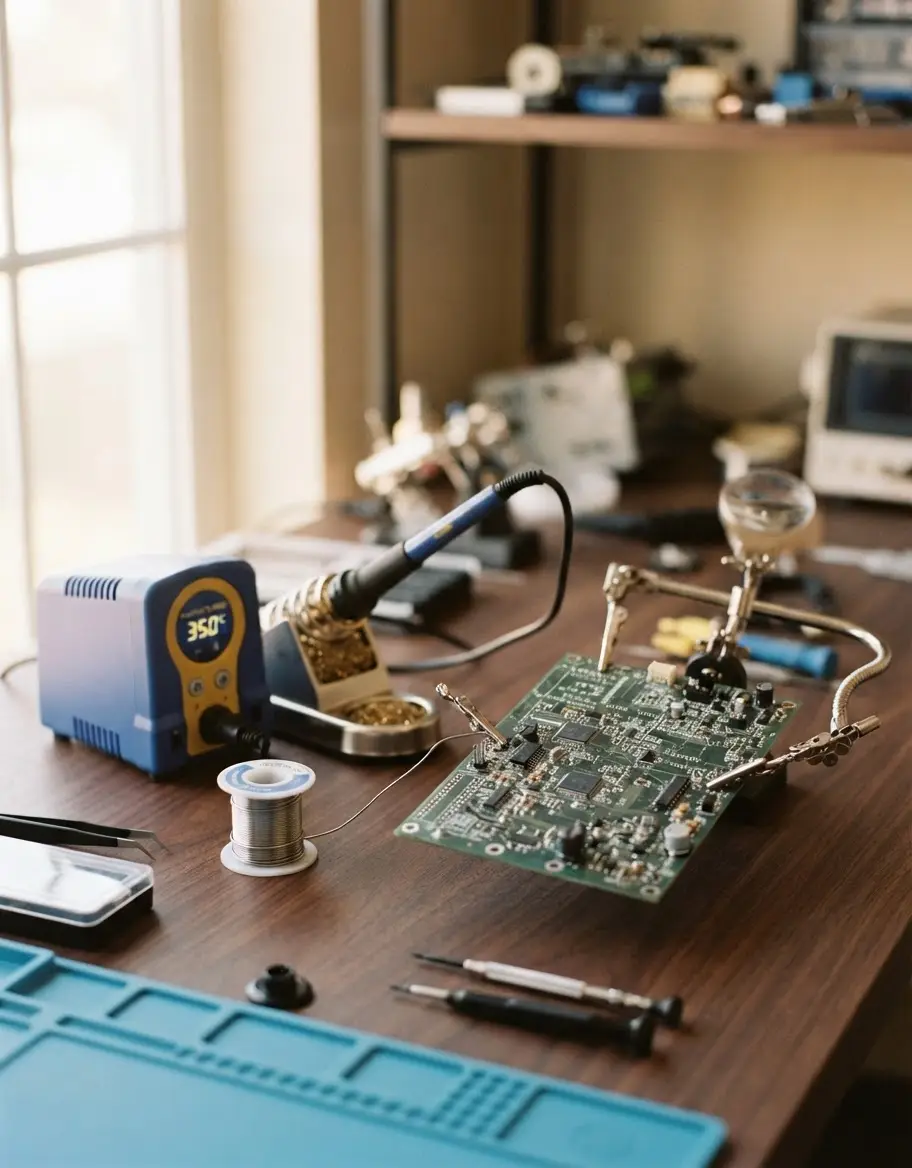
AI-generated editorial illustration; not a product or test photograph.
Short answer
The best soldering station for most makers is the Weller WE1010NA, which provides excellent thermal stability and robust build quality for precision work. For those needing more versatility on a budget, the YIHUA 939D+ and the TOAUTO DS90 offer high wattage and rapid heating capabilities at a lower price point.
4
Product listings discussed; not hands-on tests
4/4
Discussed listings with a recorded price
$44.99–$139.00
Recorded listing price range; not a complete setup cost
Key takeaways
Select a station with digital temperature control for reliable, repeatable solder joints.
Prioritize ESD-safe equipment to protect sensitive microchips and PCB components.
Higher wattage ratings generally allow for faster heat recovery when working on larger ground planes.
Look for modular stations that support replaceable tips to reduce long-term ownership costs.
Consider 2-in-1 hot air rework stations only if your projects involve complex surface-mount component removal.
Products discussed in this article
Editorial scores and recorded prices are reference points, not measurements of suitability for every use. Read each review's specifications and limitations.
Weller 70 Watt Digital Soldering Station | WE1010NA8.3
YIHUA 939D+ Digital Soldering Station, 75W Equivalent8.4
TOAUTO DS90 Soldering Station-°F & °C Dual Digital8.2
YIHUA 8786D I 2 in 1 Hot Air Rework and Soldering Iron7.8
Recorded price (USD)
Weller 70 Watt Digital Soldering Station | WE1010NA$139.00
YIHUA 939D+ Digital Soldering Station, 75W Equivalent$58.99
TOAUTO DS90 Soldering Station-°F & °C Dual Digital$44.99
YIHUA 8786D I 2 in 1 Hot Air Rework and Soldering Iron$84.99
Comparison of top-rated soldering stations for makers.
Product
Power (Watts)
Temp Range
ESD Safe
Best For
Weller WE1010NA
70W
Variable
Yes
Precision Work
YIHUA 939D+
75W
212°F-896°F
Yes
Heavy Duty
TOAUTO DS90
90W
194°F-896°F
Yes
General Projects
YIHUA 8786D I
740W
Variable
Yes
Rework & Soldering
How do you choose the best soldering station for your needs?
Selecting the right soldering station requires balancing your specific project requirements with the technical specifications of the unit. For beginners or home hobbyists, a station that provides reliable temperature control and rapid recovery is essential to prevent thermal damage to components. The Weller WE1010NA is a prime example of a unit that excels in these areas, offering a 70-watt output that maintains temperature within 4°F. This stability ensures that your solder melts consistently, whether you are working on simple through-hole headers or more complex surface-mount circuits.
Consider the maximum power output; 70W-90W is typically sufficient for most benchtop electronics.
Look for units with digital displays to monitor your set temperature versus actual tip temperature.
Verify that the station is ESD-safe to prevent static discharge from damaging sensitive electronics.
Check the availability of replacement tips, as these are consumables that will need periodic replacement.
Review the safety infrastructure, such as included stands and auto-standby features that help preserve tip life during idle time.
Investing in a dedicated station, as detailed in our maker tools guide, provides a much more stable environment than a handheld pen iron. Advanced users may also look for features like password protection for temperature settings, which prevents accidental changes during long production runs. If you are just starting out, prioritize a user-friendly interface and a brand with a proven track record for reliability. You can use our budget planner to allocate funds for your workbench setup, ensuring you have enough left over for high-quality solder and flux, which are just as important as the iron itself.
What makes an ESD-safe soldering station important?
Electrostatic Discharge (ESD) protection is a critical feature for any workshop focused on electronics. Electronic components, particularly modern integrated circuits, can be permanently damaged by the small, often imperceptible spark of static electricity generated by human contact or improper tools. Soldering stations like the YIHUA 939D+ are designed with ESD-safe circuits to bleed off static potential, ensuring that the iron tip itself does not become a path for discharge into your delicate circuit boards. This is particularly relevant when working with CMOS devices or high-density microprocessors that are sensitive to even minor electrical spikes.
ESD safety components ground the iron to protect your PCB from static buildup.
A properly grounded station maintains a path of least resistance for static charges.
Many professional-grade stations use non-conductive materials for the chassis to prevent accidental shorts.
Always ensure your workstation floor and chair are also compatible with ESD protocols if you are working with highly sensitive prototypes.
Ignoring ESD safety is one of the common mistakes to avoid when building your electronics lab. While it might seem like an abstract concept, the cumulative damage caused by static can result in intermittent, hard-to-diagnose hardware failures months down the line. By choosing a station that explicitly lists ESD safety in its technical specifications, you are building a foundation for long-term reliability. Beyond the station, using anti-static mats and wrist straps can further minimize risk, effectively turning your home workbench into a professional-grade environment. Check the maker tools FAQ for more information on how to properly ground your setup before starting your first assembly project.
Temperature Matters
For lead-free solder, keep your station between 650°F and 750°F. Always set the lowest temperature that effectively melts the solder to prolong both your components' life and your iron's tip.
Is a 2-in-1 rework station better for beginners?
Many makers are tempted by the value proposition of a 2-in-1 hot air and soldering station, such as the YIHUA 8786D I. These units bundle both a contact iron and a hot air blower into a single chassis, saving significant desk space. However, these stations are best reserved for those who specifically plan to do surface-mount component removal or heat-shrink tubing application. While convenient, the hot air components introduce a new set of variables, including airflow velocity and nozzle size management, which can add complexity to your initial learning curve.
Hot air rework is essential for removing multi-pin chips from older PCBs.
A 2-in-1 design saves bench space, but look for independent power switches for each tool.
Ensure the station has safety sensors that cut the heat element if airflow is blocked.
The soldering iron portion of these bundles may sometimes be less precise than a dedicated, high-end iron station.
If your current focus is solely on hobbyist through-hole projects, a dedicated iron like the TOAUTO DS90 is often more than enough to get the job done efficiently. Dedicated stations generally feature more refined thermal feedback loops because they aren't trying to manage two distinct heating technologies simultaneously. Our maker tools reviews often highlight that beginners frequently benefit from the simplicity of a single-tool setup. Once you reach a point in your skill progression where you frequently need to perform component-level repair, you can then add a standalone hot air station. This modular approach ensures your primary soldering iron remains a tool of high precision, whereas the rework tools can be upgraded separately as your workshop needs evolve and expand.
How does power wattage impact soldering performance?
The wattage rating on a soldering station acts as a proxy for the tool's 'thermal reserve.' A higher wattage iron, such as the 90W capability of the TOAUTO DS90, can transfer heat to a joint much faster than a lower wattage iron. When you touch an iron to a component lead and a copper pad, you are essentially creating a heat-sinking event where the copper rapidly pulls energy away from the tip. If your iron lacks the wattage to recover this heat, the tip temperature will drop, leading to 'cold' joints where the solder doesn't properly wet the components.
Higher wattage allows for faster ramp-up times from standby to working temperatures.
70W and above is generally the gold standard for lead-free solder, which has a higher melting point.
Rapid heat recovery prevents the need to hold the iron on the board for too long, which protects against board delamination.
Always balance wattage with the quality of the thermal controller, as raw power is useless without precise temperature regulation.
In modern electronics, we often work with lead-free solder, which requires higher operational temperatures than traditional leaded tin. A robust station compensates for this by utilizing high-performance ceramic heating elements coupled with PID (Proportional-Integral-Derivative) logic. This software intelligently monitors the tip and delivers rapid bursts of power only when needed, preventing overshoot while maintaining stability. Before finalizing your purchase, you can use our compare tool to look at how different wattage ratings affect the thermal recovery speed of our top-rated stations. Remember that more power is not inherently better if the software controlling that power isn't precise enough to keep the tip within a few degrees of your target. A 90W station with poor stability will always perform worse than a 70W station with rock-solid PID controls.
Ventilation is Mandatory
Soldering flux fumes are harmful if inhaled consistently. Always use a dedicated fume extractor or work in a well-ventilated area, especially when doing significant amounts of soldering or rework.
Why should you budget for additional soldering accessories?
While many soldering stations include a basic kit, your total workshop budget should account for the recurring cost of consumables and essential safety accessories. It is easy to look at the list price of a unit like the Weller WE1010NA and assume you are ready to work, but maintaining consistent results requires more than just the iron. Tips will oxidize, sponges will wear out, and flux will be consumed quickly. Planning for these secondary expenses is a standard part of our maker tools buying tips.
Budget for high-quality, lead-free solder wire which provides better flow and consistent joints.
Spare tips in various shapes (chisel, conical, and hoof) allow you to tackle different geometries.
A brass wire tip cleaner is often more effective and less damaging to tips than a water-drenched sponge.
Dedicated flux pens or pastes are essential for cleaning oxidation off pads during rework.
Keep a vacuum desoldering pump or high-quality solder wick on hand to correct mistakes without destroying boards.
If you are setting up your first serious workbench, take the time to build an inventory of these small items. Often, purchasing a complete kit can save money, but be wary of bundled materials that might be lower quality. Sometimes it is better to buy the professional-grade base station and add higher-quality consumables as separate purchases. This gives you the flexibility to choose a flux that works with your specific soldering style. By managing your maker tools budget effectively, you can invest in a station that will last for years while keeping a consistent stock of the consumables that make your work professional. Proper care of your tools, including consistent use of a brass tip cleaner and periodic re-tinning of the iron, will significantly extend the life of your investment.
How to maintain your soldering iron for maximum longevity?
Routine maintenance is the single most effective way to ensure your soldering station stays functional for years. The iron tip is a delicate interface that relies on a thin plating of iron and a pre-coating of solder to prevent oxidation. If you allow a tip to sit at high temperatures without solder, it will quickly oxidize, making it impossible to bridge solder across a joint. Most of our reviewed stations, such as the YIHUA 939D+, emphasize the use of brass wool or a clean sponge to remove burnt flux residue after every few joints.
Always 'tin' the tip with a fresh coat of solder before turning the unit off after a session.
Avoid using abrasive materials like sandpaper to clean a tip, as this permanently destroys the plating.
Utilize the auto-standby or sleep mode features on your station to lower temperatures during idle periods.
Periodically check the cable for signs of fraying, as heat-resistant silicon cables, while flexible, can still be damaged by accidental cuts.
Keep your station base away from corrosive flux fumes, which can slowly damage internal circuitry if left unchecked.
Following these steps will significantly increase the lifespan of your tips, which is crucial as they are the most frequently replaced part of the system. If you notice your tip is becoming dark or 'pitted,' it is likely suffering from oxidation and should be refreshed with a tip tinner-cleaner compound. Never attempt to scrape the tip with a knife or metal brush; this is a common mistake that immediately ruins the thermal transfer properties of the iron. By treating the tip with care, you maintain the precision necessary for small components. For advanced maintenance or troubleshooting, always refer to the manufacturer’s instructions, as certain stations have specific procedures for replacing heating elements or recalibrating the sensor feedback loop.
Step by step
1Clear your workspace of any flammable materials or clutter.
2Plug in the base station and connect the soldering iron securely.
3Insert a clean, appropriately sized tip for your intended task.
4Set the desired temperature on the digital interface.
5Wait for the iron to stabilize at the set temperature as indicated by the display.
6Apply a small amount of solder to the tip (tinning) before starting your first joint.
7Clean the tip using brass wool after every few uses to remove burnt flux.
8Turn off the unit or allow it to enter standby mode when finished.
Quick checklist
Verify your station is ESD-safe to protect sensitive components.
Ensure the iron includes a stable, heat-resistant safety stand.
Check for compatible replacement tips before buying the unit.
Budget for quality lead-free solder and a flux pen.
Confirm that the station has a clearly legible digital temperature display.
Consider the cable length and flexibility for your specific workbench layout.
Test the unit's ramp-up speed upon arrival to ensure the heating element is functional.
Frequently asked questions
Do I need a soldering station with hot air for my projects?
You only need a 2-in-1 hot air rework station if you plan to work with surface-mount technology (SMT) components like QFPs or BGA chips that cannot be removed with a standard contact iron. For through-hole projects, a high-quality contact iron is more effective and easier to maintain.
What is the best temperature for soldering?
For most lead-free solder, 350°C to 400°C (660°F to 750°F) is the optimal range. If you are using traditional leaded solder, you can often work effectively at slightly lower temperatures, around 315°C to 350°C (600°F to 660°F), which helps protect delicate components from excessive heat stress.
How often should I change my soldering tip?
Tips should be replaced when the plating on the end wears away, exposing the copper core beneath. You will notice the solder no longer flows smoothly onto the tip and the surface looks dull or pitted. With proper care, including cleaning with brass wool and regular tinning, a good tip can last for several months of regular use.
Is a 50W iron enough for my electronics projects?
Yes, a 50W iron is sufficient for standard circuit board work. However, higher wattage stations (70W-90W) provide better thermal recovery when soldering larger components that act as heat sinks. If you find yourself frequently working on larger power ground planes, the extra wattage of a 70W+ station will make your work much faster.
What happens if I don't use an ESD-safe iron?
Using a non-ESD-safe iron puts your electronic components at risk of damage from static electricity. While the iron might work perfectly for years, the subtle damage caused by static discharge can result in intermittent circuit failures or completely dead microchips that are often very difficult to troubleshoot later.
Amazon links are affiliate links; we may earn a commission at no cost to you.
Shortlists in this category
Ranked lists from our maker tools reviews, limited to listings whose titles confirm the product type, with budget cuts where enough recorded prices sit on both sides of the line.
This page summarizes our research reviews of Amazon listings, listed specifications and captured buyer ratings. It is not a hands-on test. Scores are editorial assessments, not measured performance; prices are recorded snapshots and may change. A category can include both main products and accessories, so its overall price range is not the cost of a complete setup.
Most recent product record update: November 8, 2026. Individual records may be older; this is not a verification date for every claim. Prices on this page were read from the listings Nov 8, 2026.
Choose the product type first. These groups require a match in the listing title; an import search term alone is not enough. Scores rank our recorded research assessments within each group, not independently measured performance.
Values are shown as recorded, without unit conversions or inferred compatibility. Not recorded means unknown, not absent. Prices are snapshots, not current offers. Editorial scores are research judgments, not lab results. Amazon links are affiliate links.
Before treating a comparison as complete
Which details are still unknown?
A specification appearing in a listing is not independent verification. These counts show which shortlisted records contain the same field; a blank record does not mean the product lacks the feature.
Included Components
Recorded for 2 of 2 shortlisted models
Present in every shortlisted record. Check units, exact variants and the current manufacturer documentation before relying on it.
For ABS or ASA, confirm enclosure, temperatures and ventilation; an enclosure alone does not establish reliable printing or safe emissions.
Auto bed levelling removes the most common failure mode.
Budget for ventilation with any resin or laser machine.
If a specification, certification or compatibility detail is absent, mark it as unknown and ask the seller or manufacturer. Do not substitute a star rating, an editorial score or a different model's specification.