How to Clean a Soldering Iron Tip: Maintenance Guide
Extend your tool's life and ensure reliable connections with our guide to routine soldering tip maintenance and proper care protocols for your workshop.
By the Niche Picks editorsUpdated November 9, 202610 min readDrawn from our 33 research-based maker tools reviews
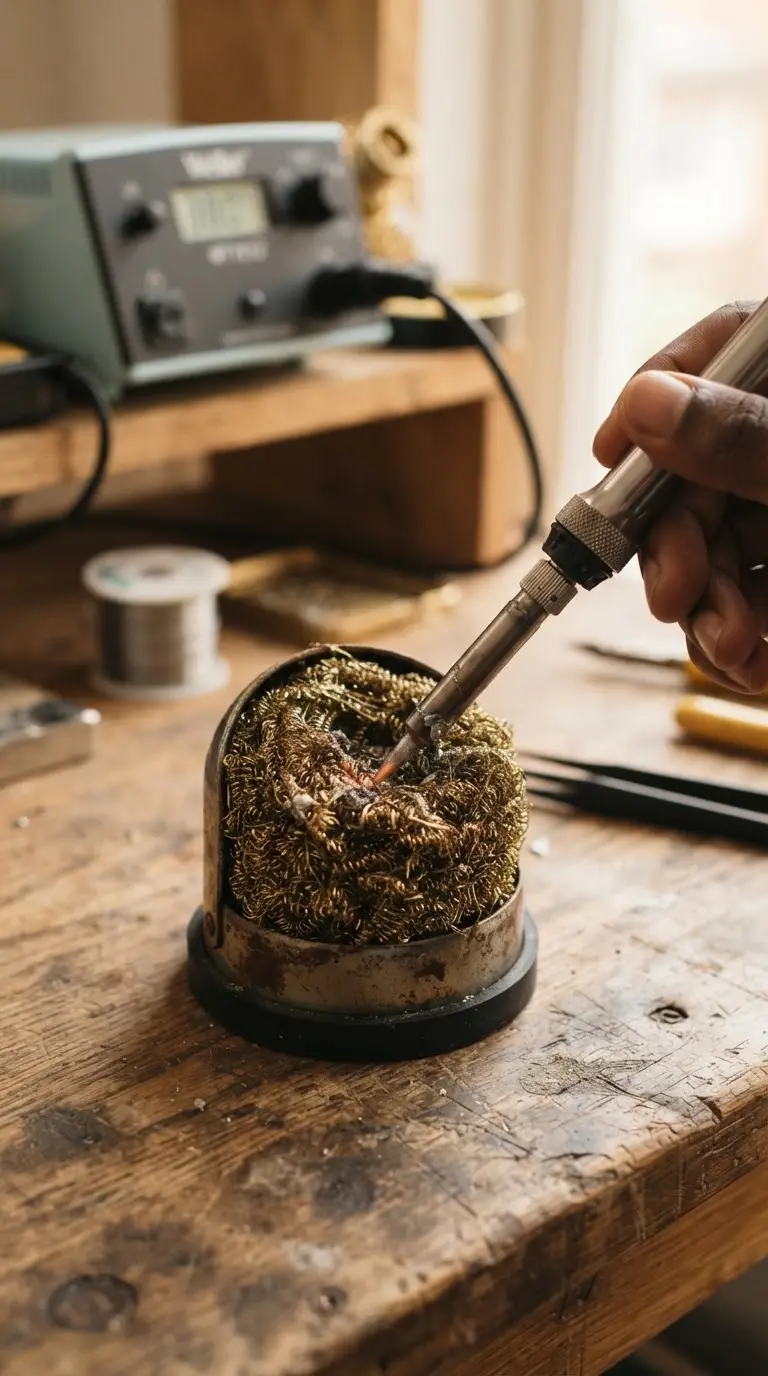
AI-generated editorial illustration; not a product or test photograph.
Short answer
To clean a soldering iron tip, wipe it frequently on a brass wire cleaner or a damp sponge during use to remove flux residue and oxidation. If the tip remains dirty or fails to wet, use a chemical tip tinner while the iron is hot. Never use sandpaper, which destroys the protective plating.
4
Product listings discussed; not hands-on tests
4/4
Discussed listings with a recorded price
$44.99–$139.00
Recorded listing price range; not a complete setup cost
Key takeaways
Wipe the tip frequently on brass wire cleaners to remove oxidation during active soldering sessions.
Always apply a fresh layer of solder to the tip before powering down the station to prevent corrosion.
Avoid all abrasive materials like sandpaper or metal files that strip the protective iron and chrome plating.
Utilize temperature-controlled soldering stations to prevent excessive heat that accelerates tip degradation.
Use chemical tip tinner compounds to restore badly oxidized tips that cannot be cleaned by simple wiping.
Products discussed in this article
Editorial scores and recorded prices are reference points, not measurements of suitability for every use. Read each review's specifications and limitations.
TOAUTO DS90 Soldering Station-°F & °C Dual Digital8.2
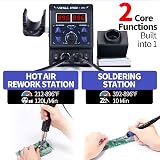
YIHUA 8786D I 2 in 1 Hot Air Rework and Soldering Iron7.8
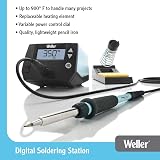
Weller 70 Watt Digital Soldering Station | WE1010NA8.3
YIHUA 939D+ Digital Soldering Station, 75W Equivalent8.4
Recorded price (USD)
TOAUTO DS90 Soldering Station-°F & °C Dual Digital$44.99
YIHUA 8786D I 2 in 1 Hot Air Rework and Soldering Iron$84.99
Weller 70 Watt Digital Soldering Station | WE1010NA$139.00
YIHUA 939D+ Digital Soldering Station, 75W Equivalent$58.99
Comparison of Soldering Stations by Maintenance Features
Product
Power Output
ESD Safe
Thermal Control
TOAUTO DS90
90W
Yes
PID
YIHUA 8786D I
740W
Yes
PID
Weller WE1010NA
70W
Yes
Digital
YIHUA 939D+
75W
Yes
PID
Why Is Regular Tip Maintenance Critical?
Maintaining a soldering iron tip is arguably the most essential task for long-term electronics workshop health. A clean, well-tinned tip transfers heat efficiently to the solder pad and component leads. When a tip is covered in burnt flux or oxidized material, the thermal resistance increases dramatically. This forces users to raise temperatures to compensate, which in turn accelerates tip wear and potentially damages sensitive printed circuit boards (PCBs). Over time, poor maintenance leads to permanent pitting and erosion of the tip metal.
Our reviews of stations such as the TOAUTO DS90 highlight that modern, entry-level units often include basic cleaning infrastructure like brass wool. These accessories are not merely optional; they are functional requirements. By adopting a rigid protocol of cleaning before and after every connection, you minimize the oxidation that occurs naturally when hot metals interact with ambient air. As detailed in our guide to the best soldering stations, consistent thermal management is a key differentiator for reliable results.
Furthermore, keeping your tip clean ensures consistent "wetting," the process where solder flows smoothly across a joint. If the tip is dirty or crusty, the solder will bead up and refuse to bridge the gap effectively, leading to cold solder joints—the most common failure point in hobbyist projects. Cold joints are mechanically weak and electrically unreliable, often resulting in intermittent hardware failure. Consistent maintenance saves money on replacement parts while drastically improving the quality of your finished work, whether you are soldering simple through-hole components or complex SMT arrays. Stations like the YIHUA 939D+ and Weller WE1010NA include features to help preserve tip health, but the daily ritual of maintenance remains the operator's responsibility. For more advice on creating an efficient workspace, see our maker tools index.
The debate between using brass wire cleaners and damp cellulose sponges is common in the maker community. Both methods serve to clean the tip, but they act through different physical principles. Brass wire wool works by mechanically scraping away oxidized debris and burnt flux without cooling the iron significantly. Because brass is softer than the iron and chrome plating, it cleans the surface while keeping the protective coating intact. This is why high-quality stations favor brass wool for frequent, high-heat soldering sessions.
Conversely, damp sponges operate through thermal shock and steam generation. As the water hits the hot tip, the rapid conversion to steam helps lift stubborn residue. While effective, this process creates extreme temperature fluctuations. Repeated thermal cycling—cooling the tip and then forcing the station's PID controller to ramp up the heat—can eventually strain the heating element. Furthermore, if a sponge is too wet, it leaches too much heat from the iron, resulting in sluggish performance during subsequent joints. This constant fluctuation is generally considered suboptimal for long-term component health.
Many professionals now prefer the brass wire approach because it avoids the stress of thermal shock. If you are using an entry-level station like the YIHUA 8786D I, you may find that the included sponge is sufficient for light bench work, but upgrading to a brass ball cleaner is a simple, low-cost investment in tip longevity. Regardless of the chosen method, the objective remains clear: expose shiny metal so that the solder wets correctly. For tips on managing the recurring costs of these consumables, our budget planner provides a framework for maintenance items. Always ensure your cleaner is kept in a stable, heat-resistant housing to prevent accidents during the soldering process.
Always leave a generous coating of fresh solder on the tip before placing the iron in its stand. This protects the metal from air exposure and prevents the accumulation of oxidation during cooling.
Troubleshooting and Restoring Oxidized Tips
Even with diligent maintenance, tips may eventually become black, crusty, or unresponsive to standard wiping. This state, often termed heavy oxidation, typically occurs when the protective plating has been damaged or when the iron has been left idling at high temperatures for extended periods. When a tip reaches this state, simple wiping is no longer sufficient to restore performance. A common mistake is attempting to use files, knives, or sandpaper. Never do this. These materials are abrasive and will immediately strip the iron-plated surface, leaving the raw copper core exposed. Once exposed, the copper will oxidize almost instantly under heat, rendering the tip effectively useless.
Instead, utilize a dedicated chemical tip tinner. These compounds are formulated with mild acidic fluxes that chemically dissolve the layer of built-up oxidation. By dipping the hot, oxidized tip into the compound, the chemical reaction cleans the surface efficiently. Immediately after this process, wipe the tip on a brass wire cleaner and apply fresh solder to re-tin it. The new solder layer acts as a barrier against the air, preventing further oxidation until the next use. If your tip remains black or refuses to wet even after chemical treatment, the plating is likely gone, and you must replace the tip to maintain soldering precision.
Understanding your equipment's limitations is essential. As discussed in our maker tools FAQ, beginners often confuse hardware failure with simple maintenance issues. High-quality tips with robust plating generally resist oxidation longer than generic or unbranded counterparts, making them a more economical choice in the long run despite higher upfront costs. When tackling lead-free solder, which requires inherently higher and more punishing temperature profiles, you must be doubly vigilant. Always keep spare, manufacturer-recommended tips on hand to ensure that a damaged tip does not halt your project. For more insights on avoiding common benchtop errors, visit our mistakes to avoid page.
Temperature control is the primary defense against premature tip failure. Many older or cheap iron designs run at a fixed, maximum output, which is often far higher than what is required for standard electronic assemblies. Using a digital soldering station like the TOAUTO DS90 allows you to set specific temperatures matched to your solder alloy. Lead-free solders generally require higher temperatures than traditional leaded blends, but excessive heat is the primary enemy of tip plating. For most standard hobbyist work, staying within the manufacturer's recommended range for your specific solder is key to balancing performance and preservation.
Modern stations also include vital features like auto-standby and sleep modes. These functions reduce the temperature of the iron after a user-defined period of inactivity. This is significant because the rate of oxidation increases exponentially with temperature. Leaving an iron at 800°F while not in use will destroy a tip in a fraction of the time it would take at a lower, idle temperature. We strongly recommend configuring your station's sleep timer—often set to 10 or 20 minutes—to protect the tip when you are distracted by other benchtop tasks. These features are standard on the YIHUA 939D+ and other mid-range units we cover.
Calibration is another often-overlooked aspect. The digital display on your station indicates the temperature of the heating element, but not necessarily the temperature at the very tip surface. External thermal thermometers are invaluable tools for verifying the accuracy of your station. If your station is miscalibrated and reporting a lower temperature than it is actually outputting, you may be unintentionally cooking your tips. Taking the time to verify your station's output upon arrival—as noted in our review of the YIHUA 8786D I—ensures that your maintenance habits are actually aligned with your thermal performance. Consistent heat is the bedrock of professional soldering and is explained further in our maker tools guide.
Never use sandpaper, files, or knives to clean your iron tip. These tools permanently strip the protective plating and render the tip unable to transfer heat efficiently.
Understanding Tip Geometry and Selection
The physical shape and mass of the soldering tip play a significant role in how it handles heat and, consequently, how it degrades. Conical tips are excellent for precision work but possess less thermal mass, which can force you to run the station at higher settings to solder larger joints. Chisel and hoof tips, by contrast, offer a larger contact surface area. This increased surface contact allows for more efficient heat transfer, which often enables you to complete a joint faster, reducing the total time the tip spends at high temperature.
Selecting the correct tip for your project is a fundamental skill for any maker. If you are soldering through-hole connectors, a large chisel tip is often more effective than a fine needle point. The chisel allows the iron to transfer energy to both the component pin and the copper pad simultaneously, leading to a superior joint. Because you are working more efficiently, the tip stays cooler and oxidizes less rapidly. Many stations, such as the Weller WE1010NA, support a wide variety of tip geometries, giving you the flexibility to match the tool to the task. This modularity is a massive benefit over fixed-tip designs found in budget pen irons.
When buying replacement tips, ensure they are compatible with your specific station model. Proprietary tip ecosystems are common in the electronics industry; trying to force a mismatched tip into an iron can damage the heating element or compromise the ESD-safe connection. Always prioritize manufacturer-supported tips to ensure the internal heating elements make proper contact with the tip housing. This ensures that the station's temperature sensors can accurately monitor and adjust for thermal loads. Poor-quality or generic tips often have inferior plating, which will fail long before a high-quality unit, regardless of your cleaning efforts. For more on managing your inventory of tools and spares, consult our budget planning resources.
The final step of every soldering session should be the most critical: tinning the tip before shutdown. This simple habit involves melting a small amount of fresh, leaded or lead-free solder over the entire working surface of the tip before turning the unit off. This layer of solder acts as a protective shield, sealing the iron and chrome plating from oxygen in the atmosphere. Without this barrier, the hot metal is exposed to air as it cools, facilitating the rapid formation of oxides that are notoriously difficult to remove later.
If you consistently shut down your iron without tinning, you will find yourself dealing with black, crusty tips every time you start your next project. This cycle of neglect will force you to use aggressive cleaning methods that strip the plating, leading to a premature death of your tips. Conversely, if you develop a robust post-use routine, your tips will stay shiny and functional for much longer. This procedure is so fundamental that it is often the first advice given to apprentices in professional electronics environments. It takes only seconds to perform, yet it is arguably the most impactful maintenance task you can perform on your station.
Consider keeping a dedicated small spool of solder near your iron station specifically for this purpose, rather than using your high-performance assembly solder. Since this solder is merely serving as a protective coating, you do not need to use your most expensive or specialty-flux wires. For those new to electronics, making this part of your closing procedure will save significant frustration. As you progress in your hobby, these small, disciplined habits define the difference between a disorganized workbench and a professional-grade workshop. For more on maintaining your setup, check our maker tools blog.
1Set your soldering station to the operating temperature recommended by the solder manufacturer.
2Allow the soldering iron to reach full thermal stability before attempting to clean it.
3Gently plunge the tip into the brass wire cleaner or wipe it on a slightly damp sponge.
4Examine the tip to ensure it appears shiny and is uniformly coated in silver metal.
5If dark patches persist, dip the hot tip into a chemical tip tinner to dissolve oxides.
6Wipe the dissolved residue from the tip using a brass wire cleaner.
7Apply fresh solder to the clean tip to re-establish the protective layer.
Quick checklist
Ensure your station is set to a temperature appropriate for your specific solder alloy.
Place a brass wire cleaner or a damp sponge in a stable, heat-resistant base within reach.
Wipe the tip clean after every third or fourth solder joint to prevent debris buildup.
Inspect the tip surface for signs of pitting or erosion during every cleaning pass.
Utilize a chemical tip tinner if the tip becomes black and refuses to wet properly.
Apply a thick layer of fresh solder to the tip immediately before turning off the station.
Verify station calibration with an external thermometer if you suspect inconsistent heat.
Frequently asked questions
Can I use sandpaper to clean a heavily oxidized soldering iron tip?
No, you should never use sandpaper or abrasive files. These materials destroy the protective iron and chromium plating that coats the copper core. Once this plating is damaged, the copper core oxidizes rapidly, and the tip loses its thermal conductivity, effectively ruining it.
How often should I clean my soldering iron tip?
You should wipe your tip every few minutes during active work, or ideally, before and after every individual solder joint. Frequent cleaning prevents the buildup of burnt flux and oxidation, which keeps your heat transfer efficient and your solder joints strong.
What is the best way to store a soldering iron tip?
The best way to store a tip is by 'tinning' it. Before turning off your station, melt a generous amount of fresh solder onto the tip. This coating acts as a protective barrier against oxygen in the air, preventing corrosion while the iron cools down.
My solder is balling up and not sticking to the tip; what is wrong?
This is a classic sign of oxidation. Your tip has lost its ability to 'wet' because the surface is contaminated. Clean the tip thoroughly with a brass cleaner, apply a chemical tip tinner if necessary to remove the crusty buildup, and then re-tin the surface.
Does the type of solder I use affect tip wear?
Yes. Lead-free solder requires higher operating temperatures than traditional leaded solder. These higher temperatures cause tips to oxidize and erode much faster. If you use lead-free solder, be diligent about cleaning and using the auto-sleep modes on your soldering station to preserve your tips.
Amazon links are affiliate links; we may earn a commission at no cost to you.
Shortlists in this category
Ranked lists from our maker tools reviews, limited to listings whose titles confirm the product type, with budget cuts where enough recorded prices sit on both sides of the line.
This page summarizes our research reviews of Amazon listings, listed specifications and captured buyer ratings. It is not a hands-on test. Scores are editorial assessments, not measured performance; prices are recorded snapshots and may change. A category can include both main products and accessories, so its overall price range is not the cost of a complete setup.
Most recent product record update: November 8, 2026. Individual records may be older; this is not a verification date for every claim. Prices on this page were read from the listings Nov 8, 2026.
Choose the product type first. These groups require a match in the listing title; an import search term alone is not enough. Scores rank our recorded research assessments within each group, not independently measured performance.
Values are shown as recorded, without unit conversions or inferred compatibility. Not recorded means unknown, not absent. Prices are snapshots, not current offers. Editorial scores are research judgments, not lab results. Amazon links are affiliate links.
Before treating a comparison as complete
Which details are still unknown?
A specification appearing in a listing is not independent verification. These counts show which shortlisted records contain the same field; a blank record does not mean the product lacks the feature.
Included Components
Recorded for 2 of 2 shortlisted models
Present in every shortlisted record. Check units, exact variants and the current manufacturer documentation before relying on it.
For ABS or ASA, confirm enclosure, temperatures and ventilation; an enclosure alone does not establish reliable printing or safe emissions.
Auto bed levelling removes the most common failure mode.
Budget for ventilation with any resin or laser machine.
If a specification, certification or compatibility detail is absent, mark it as unknown and ask the seller or manufacturer. Do not substitute a star rating, an editorial score or a different model's specification.