The Bambu Lab A1 is the best beginner 3D printer for easy PLA and PETG projects, while enclosed alternatives make more sense for ABS and ASA.
By the Niche Picks editorsUpdated October 7, 202610 min readDrawn from our 30 research-based maker tools reviews
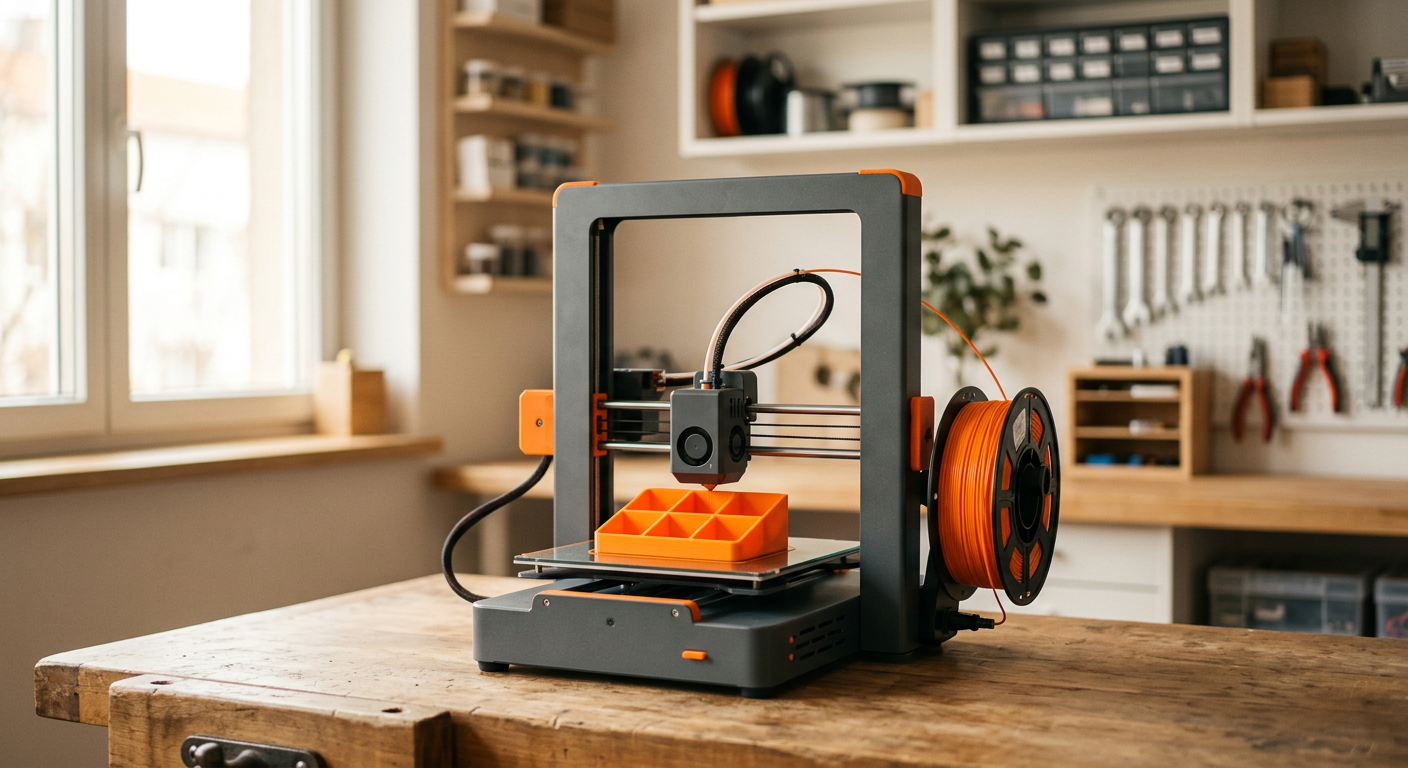
AI-generated editorial illustration; not a product or test photograph.
Short answer
The Bambu Lab A1 is our top pick for most beginners at $299.99 because it combines fully automated bed leveling, flow calibration, and a 4.7-star rating from 648 reviews. Choose the $399 Bambu Lab P1S instead if you need an enclosed printer for ABS or ASA. Beginners on a tighter budget should consider the $249 FLASHFORGE Adventurer 5M for PLA and PETG.
4
Product listings discussed; not hands-on tests
4/4
Discussed listings with a recorded price
$249.00–$399.00
Recorded listing price range; not a complete setup cost
Key takeaways
The Bambu Lab A1 is the best all-around beginner choice for household PLA and PETG printing because its automatic calibration reduces setup friction.
Auto bed leveling is the feature to prioritize first because it addresses the most common source of first-layer failures.
Open-frame printers such as the A1 and Adventurer 5M are for low-shrinkage materials including PLA and PETG, not reliable ABS or ASA printing.
The enclosed Bambu Lab P1S costs $399 and adds the thermal stability needed for ABS and ASA without requiring an AMS multi-material unit.
Resin printers can produce small detailed parts, but they require ventilation, chemical handling, washing, curing, and additional workspace equipment.
Products discussed in this article
Editorial scores and recorded prices are reference points, not measurements of suitability for every use. Read each review's specifications and limitations.
Bambu Lab A1 3D Printer, Ready-to-Use FDM 3D Printer8.2
Bambu Lab P1S 3D Printer, Ready-to-Use FDM 3D Printer8.9
FLASHFORGE Adventurer 5M 3D Printer with Fully Auto8
FLASHFORGE Adventurer 5M Pro 3D Printer with 1 Click8.2
Recorded price (USD)
Bambu Lab A1 3D Printer, Ready-to-Use FDM 3D Printer299.99 USD
Bambu Lab P1S 3D Printer, Ready-to-Use FDM 3D Printer399 USD
FLASHFORGE Adventurer 5M 3D Printer with Fully Auto249 USD
FLASHFORGE Adventurer 5M Pro 3D Printer with 1 Click379 USD
Beginner 3D printer comparison
Product
Listed price
Frame type
Automatic leveling
Best for
Rating
Bambu Lab A1
$299.99
Open-frame Cartesian bedslinger
Yes
Beginner-friendly household PLA and PETG projects
4.7/5 (648 reviews)
Bambu Lab P1S
$399.00
Enclosed CoreXY
Yes
Single-material functional engineering parts
4.5/5 (394 reviews)
FLASHFORGE Adventurer 5M
$249.00
Open-frame CoreXY
Yes
Budget high-speed PLA and PETG fabrication
3.9/5 (2,531 reviews)
FLASHFORGE Adventurer 5M Pro
$379.00
Fully enclosed CoreXY
Yes
Enclosed functional printing with technical filaments
4.0/5 (1,057 reviews)
What is the best 3D printer for beginners overall?
The Bambu Lab A1 is the best 3D printer for beginners in our current reviews. At a listed price of $299.99, it is a ready-to-use FDM printer designed around the tasks that most often discourage new owners: getting a good first layer and managing extrusion consistency. Its automated routine handles bed leveling, Z-offset calculation, and surface mapping, while active flow-rate compensation adjusts extrusion output. It has a 4.7 out of 5 rating across 648 reviews.
The A1 is an open-frame Cartesian bedslinger, so it is best approached as a PLA and PETG machine for household organizers, prototypes, decorations, replacement-style parts, and school projects. Its 21.76 by 20.83 by 12.87-inch overall dimensions also matter: because the bed moves, allow operational clearance around the machine rather than measuring only the footprint.
Its one-clip quick-swap nozzle arrangement may make ordinary maintenance less intimidating than designs that require removing delicate wiring. The standalone A1 is a single-filament printer; its optional AMS lite multi-color system is not included at this price. That is not a problem for most first-time owners, since learning one dependable material and one color is a more manageable start.
For the broader market context, see our 3D printer roundup and Maker tools buyer's guide. If the A1's open architecture suits your planned materials, it offers the most balanced combination of beginner-oriented automation, price, and user feedback in this group.
Choose the Bambu Lab P1S if your first projects genuinely require ABS or ASA. At $399, it costs $99 more than the A1, but it changes the material equation with a factory-enclosed CoreXY chassis. The enclosure helps retain ambient heat and protects prints from drafts, conditions that matter because ABS and ASA are prone to shrinkage, warping, and layer separation on open machines.
The P1S also has fully automatic bed leveling, a 256 x 256 x 256 mm build volume, listed maximum speed of 500 mm/s, and support listed for PLA, PETG, TPU, PVA, PET, ABS, and ASA. It has a 4.5-star average from 394 reviews. For a beginner who expects to make functional parts rather than only PLA models, these are meaningful advantages. The listed $399 configuration does not include the AMS multi-material system, which keeps the initial purchase more focused on dependable single-material printing.
An enclosure is not proof of either safe emissions management or effortless ABS/ASA results. Follow the manufacturer’s exact material, ventilation, placement, and maintenance instructions. In particular, do not treat any enclosure as a substitute for appropriate air-management planning in an occupied indoor space. Our common maker-tool mistakes guide can help with the planning stage, and the full Bambu Lab P1S review covers its configuration in more detail.
Skip the P1S if you will only print PLA and PETG. The A1 is less expensive and better aligned with that lower-complexity workflow.
What is the best budget 3D printer for a beginner?
The FLASHFORGE Adventurer 5M is our budget pick at $249. It pairs a CoreXY motion system with fully automatic bed leveling, a 280°C direct extruder, a quick-swap nozzle mechanism, and a 220 x 220 x 220 mm build volume. That is a strong feature set for a first FDM printer because automatic leveling removes manual wheel adjustment and paper-shim routines from the initial setup process.
FLASHFORGE rates the printer for travel speeds up to 600 mm/s and acceleration up to 20,000 mm/s². Those figures describe the machine’s capability, not a promise that every model should be printed at maximum settings; print quality still depends on model geometry, filament, nozzle choice, and slicer settings. The direct extruder and flexible PEI build surface are practical features for a beginner learning PLA and PETG.
The compromise is important: this is a strictly open-frame model, with no side panels, top cover, or front door. It cannot maintain the chamber conditions required for reliable ABS and ASA printing. Its 3.9-star average across 2,531 reviews is also lower than the A1’s 4.7-star average, so its lower purchase price should be weighed against that difference in buyer feedback.
Read our dedicated FLASHFORGE Adventurer 5M review before choosing it, then use the 3D printer cost guide to plan for filament and basic supplies. For a beginner whose priority is spending as little as possible on a capable PLA/PETG printer, it is the sensible value alternative.
Is the FLASHFORGE Adventurer 5M Pro worth considering?
Yes. The FLASHFORGE Adventurer 5M Pro is a practical alternative for a beginner who wants an enclosed printer but prefers a lower listed price than the P1S. It costs $379, has a fully enclosed all-metal CoreXY frame, one-click automatic bed leveling, a 280°C hotend, and a 110°C heated platform. The review record lists it as suitable for ABS, ASA, and PETG-CF, while its enclosure helps retain heat and reduce drafts around technical filaments.
This printer includes a 4.3-inch touchscreen, an internal monitoring camera, filament runout detection, power-loss recovery, and a proprietary tool-free quick-release nozzle system. It is rated at up to 600 mm/s and 20,000 mm/s² acceleration, with vibration compensation intended to reduce ringing at high movement rates. Its listed 16 by 14 by 18-inch dimensions and 22-pound weight make it relatively compact, but confirm the surrounding clearance and electrical requirements in the manufacturer documentation.
It earns a place on this shortlist because it combines two core beginner needs: automatic leveling and an enclosure. Its 4.0-star rating across 1,057 reviews is respectable but does not match the P1S’s 4.5-star rating or the A1’s 4.7-star rating. Also note that its replacement nozzles are proprietary rather than generic components.
The dual filtration system manages airborne emissions during extrusion, but filtration does not eliminate the need to follow manufacturer guidance for ventilation and room use. Compare your options side by side in our product comparison hub, and browse more Maker tools reviews if your budget or material needs differ.
Why does auto bed leveling matter so much for beginners?
Auto bed leveling is the most useful convenience feature for a new FDM owner because first-layer failures are among the most common reasons a print fails. Before a printer can build a model, it must place a consistent first layer across the build surface. If the nozzle is too close, material can be scraped or restricted; if it is too far away, the filament may not adhere properly. Manual tramming requires adjusting the bed position and checking the nozzle gap, which adds a technical step before a beginner has even started printing.
All four recommendations here address that issue. The Bambu Lab A1 uses automated leveling, Z-offset calculation, and surface mapping. The Bambu Lab P1S has automatic bed leveling. The FLASHFORGE Adventurer 5M uses fully automatic leveling, while the Adventurer 5M Pro uses a one-click automated system. This does not mean a printer never needs cleaning, inspection, or careful first-layer observation. It means the machine handles the repeating calibration step that is easiest to get wrong manually.
Begin with a small PLA model rather than an all-day print. Watch the first layer, keep the build plate clean according to the exact-model instructions, and do not change several slicer settings at once. Once a baseline profile works, save it and adjust one variable per project.
Our 3D printer calibration guide explains the fundamentals behind leveling and first-layer setup. Automation reduces friction; it does not replace learning what a correct first layer looks like.
Most beginners should start with an FDM printer, specifically one of the PLA- and PETG-oriented models above. FDM printers melt filament and lay it down in layers. PLA is relatively forgiving, does not require an enclosed build volume, and suits broad everyday projects. The recommended open-frame A1 and Adventurer 5M are therefore straightforward places to learn the basic workflow: select a model, slice it, load filament, verify the first layer, and remove the finished part.
Resin printers use liquid photopolymer resin cured by light. They are a better fit when your priority is very fine detail on small models, miniatures, or jewelry-style components. For example, the $239.99 ANYCUBIC Photon Mono 4 has a 7-inch 10K monochrome LCD and a 153.4 by 87 by 165 mm working envelope. But it uses manual four-point leveling and requires a separate ventilation plan plus washing, curing, protective equipment, and chemical handling. Those needs increase both the budget and the learning curve.
Do not buy a resin printer solely because it has a lower machine price than an FDM option. Factor in the whole workflow and a dedicated, appropriately ventilated workspace. The same ventilation-first mindset applies to laser machines as well. See our Maker tools FAQ for broader workspace questions and buying tips for planning guidance.
For most people searching for the best 3D printer for beginners, FDM is the more practical first purchase; resin is a specialized choice, not a default upgrade.
How much should a first-time 3D printer buyer budget?
Plan around more than the printer’s listed price. The four FDM options in this guide span $249 to $399: the Adventurer 5M is $249, the A1 is $299.99, the Adventurer 5M Pro is $379, and the P1S is $399. Your final setup budget also needs filament, a stable location with sufficient operating clearance, and any maintenance items specified by the manufacturer.
For a first spool, standard PLA is the least complicated starting point on an open-frame machine. One relevant example is Creality’s black-and-white 2 kg PLA bundle at $23.99, which works out to about $12 per kilogram. PLA’s low shrinkage means it is suited to open printers and does not need an enclosure. Store unused filament sealed and dry; moisture can affect print consistency.
Avoid assuming a low printer price makes every workflow inexpensive. Multi-color hardware can add cost, operational complexity, and purge waste. The A1’s AMS lite is not included in the standalone printer price; similarly, the P1S does not include the AMS at $399. If you select resin instead, add ventilation, wash and cure equipment, protective supplies, and chemical consumables before you compare its cost with FDM.
Use our budget planner to list the full purchase rather than just the printer. A beginner generally gets better results by buying a dependable printer with auto leveling, a couple of basic PLA spools, and time to learn one stable process than by stretching the budget for multi-color features immediately.
Choose FDM for general PLA and PETG projects; choose resin only when fine detail and the full chemical-handling workflow fit your needs.
Prioritize automatic bed leveling over headline print-speed numbers for a first printer.
Measure the bench and leave room for bed or toolhead movement, spool placement, and access for maintenance.
Choose an enclosed printer if ABS or ASA is a real requirement, not an occasional experiment.
Plan appropriate ventilation and follow the exact-model manufacturer instructions, especially for ABS, ASA, resin, or laser equipment.
Budget for filament, not just the printer; begin with standard PLA rather than specialized decorative or engineering materials.
Confirm whether multi-color hardware is included, since the A1 and P1S base configurations are single-filament machines.
Frequently asked questions
Is the Bambu Lab A1 good for complete beginners?
Yes. The Bambu Lab A1 is our top overall pick because it combines fully automated bed leveling, Z-offset calculation, surface mapping, and active flow-rate compensation at a listed $299.99. It is best for PLA and PETG projects. Its open-frame design means it is not the right choice for reliable ABS or ASA printing.
Do beginners need an enclosed 3D printer?
Not for PLA and PETG. An open printer such as the Bambu Lab A1 or FLASHFORGE Adventurer 5M is appropriate for those low-shrinkage materials. An enclosure becomes important when ABS or ASA is part of the plan because it helps retain heat and reduce drafts. It does not replace appropriate ventilation planning.
What is the cheapest beginner 3D printer in this guide?
The FLASHFORGE Adventurer 5M is the lowest-priced recommendation at $249. It has fully automatic bed leveling, a CoreXY motion system, a 280°C direct extruder, and a 220 x 220 x 220 mm build volume. It is a budget choice for PLA and PETG, not ABS or ASA, because its frame is open.
Is a resin printer easier than an FDM printer for beginners?
Not usually. Resin printers can be excellent for highly detailed small parts, but they add liquid-resin handling, washing, UV curing, protective equipment, and ventilation requirements. FDM printing with PLA is generally the lower-complexity starting workflow for household models, prototypes, and practical learning projects.
Do I need multi-color printing as a beginner?
No. A single-filament printer is enough for learning slicing, first-layer inspection, material loading, and basic maintenance. The standalone Bambu Lab A1 does not include its AMS lite accessory, and the $399 Bambu Lab P1S does not include an AMS. Multi-color systems add hardware, material changes, and purge waste.
What filament should a beginner buy first?
Start with standard PLA. It has low shrinkage, prints well without an enclosed build chamber, and is appropriate for open-frame models such as the A1 and Adventurer 5M. Keep unused spools sealed and dry. Move to PETG, ABS, ASA, flexible materials, or specialty blends after you have a stable PLA baseline.
Amazon links are affiliate links; we may earn a commission at no cost to you.
Sources and limits
This page summarizes our research reviews of Amazon listings, listed specifications and captured buyer ratings. It is not a hands-on test. Scores are editorial assessments, not measured performance; prices are recorded snapshots and may change. A category can include both main products and accessories, so its overall price range is not the cost of a complete setup.
Most recent product record update: October 3, 2026. Individual records may be older; this is not a verification date for every claim.
Choose the product type first. These groups require a match in the listing title; an import search term alone is not enough. Scores rank our recorded research assessments within each group, not independently measured performance.
For ABS or ASA, confirm enclosure, temperatures and ventilation; an enclosure alone does not establish reliable printing or safe emissions.
Auto bed levelling removes the most common failure mode.
Budget for ventilation with any resin or laser machine.
If a specification, certification or compatibility detail is absent, mark it as unknown and ask the seller or manufacturer. Do not substitute a star rating, an editorial score or a different model's specification.


 Bambu Lab P1S 3D Printer, Ready-to-Use FDM 3D Printer