How to Clean Your Projector Screen Safely and Effectively
Keep your home cinema image crisp and free of artifacts by following these essential cleaning practices for your projection surface.
By the Niche Picks editorsUpdated November 9, 20268 min readDrawn from our 29 research-based projectors & home theater reviews
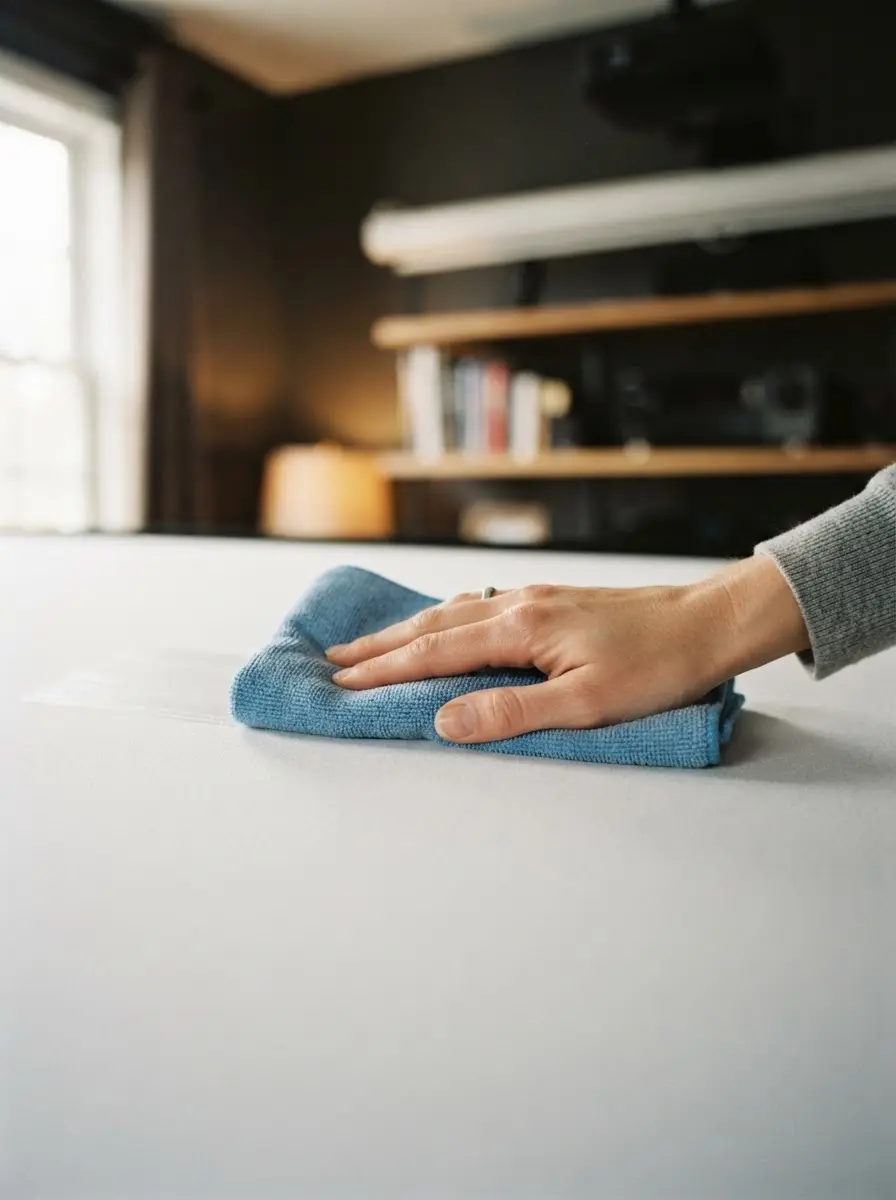
AI-generated editorial illustration; not a product or test photograph.
Short answer
To clean your projector screen, use a dry, soft, lint-free microfiber cloth to remove dust with gentle, horizontal strokes. If stubborn marks remain, use only a mild solution of distilled water and a single drop of non-detergent soap, applying it to the cloth rather than the screen, and allow the fabric to air dry completely before retraction.
5
Product listings discussed; not hands-on tests
5/5
Discussed listings with a recorded price
$24.99–$167.99
Recorded listing price range; not a complete setup cost
Key takeaways
Most projection screens utilize delicate optical coatings that can be permanently ruined by common household glass cleaners.
Avoid circular wiping motions, as they can cause uneven wear and visible streaks that interfere with image clarity.
Always test any cleaning solution on a small, inconspicuous edge of your screen fabric before applying it to the main viewing area.
Moisture must be strictly controlled to prevent long-term damage to the screen's backing or the internal spring-loaded rollers of pull-down systems.
Regular maintenance preserves the surface uniformity of entry-level screens, preventing the accumulation of debris that causes noticeable hot-spotting.
Products discussed in this article
Editorial scores and recorded prices are reference points, not measurements of suitability for every use. Read each review's specifications and limitations.
VIVOHOME 100 Inch 16:9 Pull Down Projector Screen$127.99
Projector Screen with Stand 100 inch 16:9 for Movies$167.99
AAJK 150inch Outdoor Projector Screen Anti Crease$25.99
Comparison of Screen Maintenance Characteristics
Product
Surface Material
Cleaning Suitability
Portability
Mdbebbron
Polyester
Washable
High
Elite Screens
MaxWhite 2
Mild Soap
Low
VIVOHOME
PVC
Mild Soap
Low
PropVue
Matte White
Mild Soap
Medium
AAJK
Polyester
Washable
High
Understanding Your Screen Surface Materials
Before attempting any maintenance, it is vital to recognize that not all projection surfaces are identical. Entry-level options, such as the product/B07FB6VW1M, often utilize a thin, foldable polyester weave designed for portability. These materials are lightweight but prone to edge curling and tension-related stress. In contrast, rigid systems like the product/B008XGTXWE use multi-layer composites such as Elite's MaxWhite 2, which are designed for more permanent, high-contrast duty. The integrity of your image, especially when using high-output projectors like those found in our articles/best-4k-projector, depends on this surface remaining perfectly flat and clean.
Dirt accumulation is the silent killer of image fidelity. Even minor layers of dust act as a diffuser that softens fine details in 1080p or 4K signals. Because these surfaces are manufactured with specific light-diffusion qualities to maintain a uniform 1.1 gain, introducing foreign substances or using improper tools can strip these layers. Once the coating is compromised, the screen may develop permanent hotspots or dark discolorations that no projector setting can correct. Always refer to manufacturer instructions regarding the specific weave or coating of your model. For further insights on how screen surface properties affect your overall viewing experience, consult our guide/projectors-home-theater, which breaks down the relationship between gain, ambient light rejection, and physical screen maintenance.
The most common error users commit is applying standard household cleaners to their screens. Products like Windex or other ammonia-based glass sprays are fundamentally incompatible with the chemical composition of matte white or ALR surfaces. Ammonia, in particular, will induce yellowing or clouding in PVC-based fabrics, such as those used in the product/B08MJPBMW5. Once these materials are chemically damaged, they cannot be restored to their original optical state. Furthermore, household paper towels should never touch the screen; their wood-pulp fibers act as micro-abrasives that can create tiny, permanent scratches, leading to long-term issues with image glare and uneven light reflection.
If you are using a freestanding unit like the product/B07BPY2T69, ensure the tripod assembly is stable before you begin cleaning. The added pressure of wiping can cause an unstable unit to tip, potentially damaging the screen fabric or the frame's mechanical collars. If you find your current surface is frequently collecting dust due to static buildup, focus on environment control rather than more frequent wiping. Avoid the common mistakes/projectors-home-theater by treating your screen as a dedicated optical component, not a piece of furniture. For owners of entry-level projectors who might be wondering if their current screen is actually holding them back from achieving true image fidelity, our articles/best-budget-projectors provides a thorough look at how matching your projector’s ANSI lumen output to the correct screen surface maximizes visual depth and perceived contrast ratio.
Never use ammonia, alcohol, or bleach-based cleaners. These chemicals will dissolve or discolor the optical matte coating, leading to irreversible hotspots.
Professional Dry-Cleaning Techniques
For the vast majority of cleaning needs, a dry-wiping method is all that is required. The golden rule is to use only high-quality, lint-free microfiber cloths. These cloths trap particles within their fibers rather than pushing them around the surface. Start by gently dusting the screen with long, horizontal strokes. Never move in circles, as this creates repetitive friction patterns that become visible during bright scenes in a movie. If you possess a massive screen, like the product/B08Z35TJRJ, ensure you have enough reach to avoid putting your weight on the screen surface itself, as this will cause the fabric to stretch or deform.
Should you encounter stubborn debris, like dried insect spots or accidental scuffs, only then should you introduce a light moisture application. Use distilled water exclusively; tap water contains minerals that can leave white streaks or residue behind once the moisture evaporates. A singular drop of non-detergent, clear dish soap is sufficient if a grease spot is present. Apply this solution to your microfiber cloth—never, under any circumstances, spray the screen directly. Spraying creates uneven concentration levels that can seep behind the screen or into the housing of motorized units. Excess moisture in the screen housing is a primary cause of motor failure and roller misalignment. For more tips on maintaining your setup, including advice on how to keep your projector environment clean and optimized for long-term use, refer to the blog/projectors-home-theater for expert maintenance tips and troubleshooting strategies.
When you must perform a wet cleaning, the most critical phase is the drying process. After you have blotted the affected area with your damp cloth, use a second, completely dry, clean microfiber cloth to absorb any remaining moisture. Work in light, rhythmic motions to lift the liquid away. Do not attempt to use a hairdryer or a fan to speed up the process, as localized heat can cause the material to warp, leading to irreversible waves in the fabric. A wavy screen is one of the most common issues in home theaters, often requiring a full replacement of the roller system.
Once the screen has been cleaned, leave it in its fully extended, vertical position for at least one hour in a room with standard humidity levels. Retracting the screen while even slightly damp is dangerous; moisture trapped inside a rolled-up tube creates the perfect environment for mold and mildew to grow on the screen's backing. Furthermore, moisture can cause the screen to stick to itself when you try to deploy it the next time, leading to tearing or surface stripping. If you find your screen is prone to persistent waves or ripples, you might need to reconsider your setup. Screens without tab-tensioning, such as most entry-level manual units, are prone to these issues. For advice on evaluating whether it is time to upgrade to a tensioned system, browse our articles/best-home-projectors, which discusses the mechanical differences between budget screens and more professional-grade fixed or tensioned options.
Control Moisture
Always apply cleaning solutions to your cloth, never directly to the screen. Trapped liquid behind the fabric or in the roller will cause mold and mechanical failure.
Addressing Persistent Staining and Residue
If you are dealing with a stain that will not lift with mild soap and water, resist the urge to scrub harder. Screen fabric is rarely as durable as it looks; the matte white surface is effectively a delicate coating that can be rubbed off entirely. If you use too much pressure, you will create a 'shiny spot' where the matte coating is worn thin. This spot will reflect light differently than the rest of the screen, creating a permanent, distracting hotspot that you will see every time you watch a movie. In cases of significant staining, it is safer to accept the cosmetic mark than to destroy the optical integrity of the entire surface.
Regular, light maintenance is your best defense against having to deal with major stains. If you have an outdoor screen, keep it in its carry bag when not in use. Dust and pollen are the most common contaminants for outdoor displays, and they can be notoriously difficult to clean once they settle deep into the weave of an outdoor-rated polyester screen. For those interested in improving their overall home cinema, including the integration of audio or better projection surfaces, our faq/projectors-home-theater covers many common questions about how to best care for your equipment in various environments. Remember, the best-maintained screen is one that is used carefully and stored properly. If you find your screen’s performance is no longer meeting your needs due to age or accumulated wear, using our budget planner can help you assess the cost-effectiveness of upgrading to a more durable or higher-performance projection surface.
Longevity and Storage Practices
Maintaining your screen extends beyond cleaning; it involves how you handle the screen during its lifecycle. For pull-down screens, always use the provided lanyard or handle to pull the screen down; never tug on the fabric itself, as this uneven tension pulls the material out of square. When retracting, allow the auto-lock mechanism to guide the screen up at a controlled speed rather than letting it snap back into the housing. A high-speed retraction can damage the internal tensioning spring and cause the edges of the screen to fray. Regularly inspect your mounting points, such as those on wall-mounted steel casings, to ensure they remain flush and secure.
For foldable polyester sheets, storage is the most critical maintenance task. Always fold the screen carefully according to the manufacturer’s instructions—usually, this means rolling it rather than hard-folding it to minimize the impact on the fabric weave. If your screen is meant for machine washing, ensure you follow the exact cycles specified. However, for most users, machine washing is a last resort, as it can degrade the material’s structure over time. If you suspect your screen is degrading, look for signs of yellowing or a loss of vibrancy in your color reproduction. These are classic indicators that the screen’s reflective coating is failing. If you find that no amount of cleaning restores the image, it may be time to visit the category/projectors-home-theater to look for a replacement that offers better material quality and a longer lifespan, potentially with built-in features that reduce the need for constant, manual maintenance.
Step by step
1Turn off the projector and let the screen cool completely.
2Extend the screen fully to its maximum flat position.
3Wipe the entire surface gently with a dry, lint-free microfiber cloth using side-to-side horizontal motions.
4Dampen a separate cloth with a mixture of distilled water and a tiny drop of mild soap.
5Blot any stubborn spots gently; do not scrub or apply heavy pressure.
6Use a final dry cloth to absorb any remaining moisture.
7Leave the screen fully extended until it is completely dry.
Quick checklist
Power off the projector to ensure the screen surface is at room temperature.
Verify the screen is fully extended or tensioned before wiping.
Use only a dedicated, clean, lint-free microfiber cloth.
Perform a dry dust-off of the entire surface before using any liquids.
Mix a cleaning solution of distilled water and one drop of mild soap only if necessary.
Wipe gently in horizontal, side-to-side motions only; avoid circular motions.
Allow the screen to air dry completely for at least one hour before retracting.
Frequently asked questions
Can I use household glass cleaners to remove smudges?
No. Glass cleaners typically contain ammonia, which is harmful to the PVC or polyester materials used in projector screens. Using these will strip the reflective optical coating, causing permanent cloudiness or streaks that degrade image quality.
What is the best way to remove creases from a foldable screen?
If your screen is foldable, you can often remove light creases by using a low-heat fabric steamer, keeping the nozzle a safe distance from the material. Avoid using a hot iron directly on the fabric, as it will melt the fibers.
Is it safe to wash my projector screen in a machine?
Only if the manufacturer explicitly labels it as machine-washable. Most pull-down and fixed-frame screens are not designed for machine agitation and will be destroyed by the process. Always check your specific product manual.
Why does my screen look wavy after cleaning?
Wavy edges are often caused by applying uneven pressure or using heat during the drying process. Stretching the fabric too hard or using hair dryers to speed up drying can cause the material to permanently warp and lose its flat shape.
Can I use a vacuum attachment to clean my screen?
Avoid using a vacuum. The brush bristles can be abrasive, and the suction can cause the screen to bulge or pull away from its mounting points. A manual, gentle microfiber wipe is always safer.
Amazon links are affiliate links; we may earn a commission at no cost to you.
Shortlists in this category
Ranked lists from our projectors & home theater reviews, limited to listings whose titles confirm the product type, with budget cuts where enough recorded prices sit on both sides of the line.
This page summarizes our research reviews of Amazon listings, listed specifications and captured buyer ratings. It is not a hands-on test. Scores are editorial assessments, not measured performance; prices are recorded snapshots and may change. A category can include both main products and accessories, so its overall price range is not the cost of a complete setup.
Most recent product record update: September 25, 2026. Individual records may be older; this is not a verification date for every claim. Prices on this page were read from the listings Nov 8, 2026 – Nov 11, 2026.
Compare the same kind of projectors & home theater
Choose the product type first. These groups require a match in the listing title; an import search term alone is not enough. Scores rank our recorded research assessments within each group, not independently measured performance.
Values are shown as recorded, without unit conversions or inferred compatibility. Not recorded means unknown, not absent. Prices are snapshots, not current offers. Editorial scores are research judgments, not lab results. Amazon links are affiliate links.
Before treating a comparison as complete
Which details are still unknown?
A specification appearing in a listing is not independent verification. These counts show which shortlisted records contain the same field; a blank record does not mean the product lacks the feature.
Item Dimensions W x H
Recorded for 2 of 2 shortlisted models
Present in every shortlisted record. Check units, exact variants and the current manufacturer documentation before relying on it.
Item Weight
Recorded for 2 of 2 shortlisted models
Present in every shortlisted record. Check units, exact variants and the current manufacturer documentation before relying on it.
Screen Dimensions
Recorded for 2 of 2 shortlisted models
Present in every shortlisted record. Check units, exact variants and the current manufacturer documentation before relying on it.
Screen Size
Recorded for 2 of 2 shortlisted models
Present in every shortlisted record. Check units, exact variants and the current manufacturer documentation before relying on it.
Color
Recorded for 2 of 2 shortlisted models
Present in every shortlisted record. Check units, exact variants and the current manufacturer documentation before relying on it.
Number of Packs
Recorded for 2 of 2 shortlisted models
Present in every shortlisted record. Check units, exact variants and the current manufacturer documentation before relying on it.
ANSI lumens are comparable; 'light source lumens' are not.
Contrast and black level matter far more than resolution claims.
Match screen gain and ambient-light rejection to projector throw and room lighting; there is no universal improvement multiplier.
If a specification, certification or compatibility detail is absent, mark it as unknown and ask the seller or manufacturer. Do not substitute a star rating, an editorial score or a different model's specification.