Do You Need a Projector Screen? Why Surface Choice Matters
Discover if a dedicated screen is necessary for your home cinema setup or if your wall will suffice for high-quality, high-contrast projection.
By the Niche Picks editorsUpdated November 9, 202610 min readDrawn from our 29 research-based projectors & home theater reviews
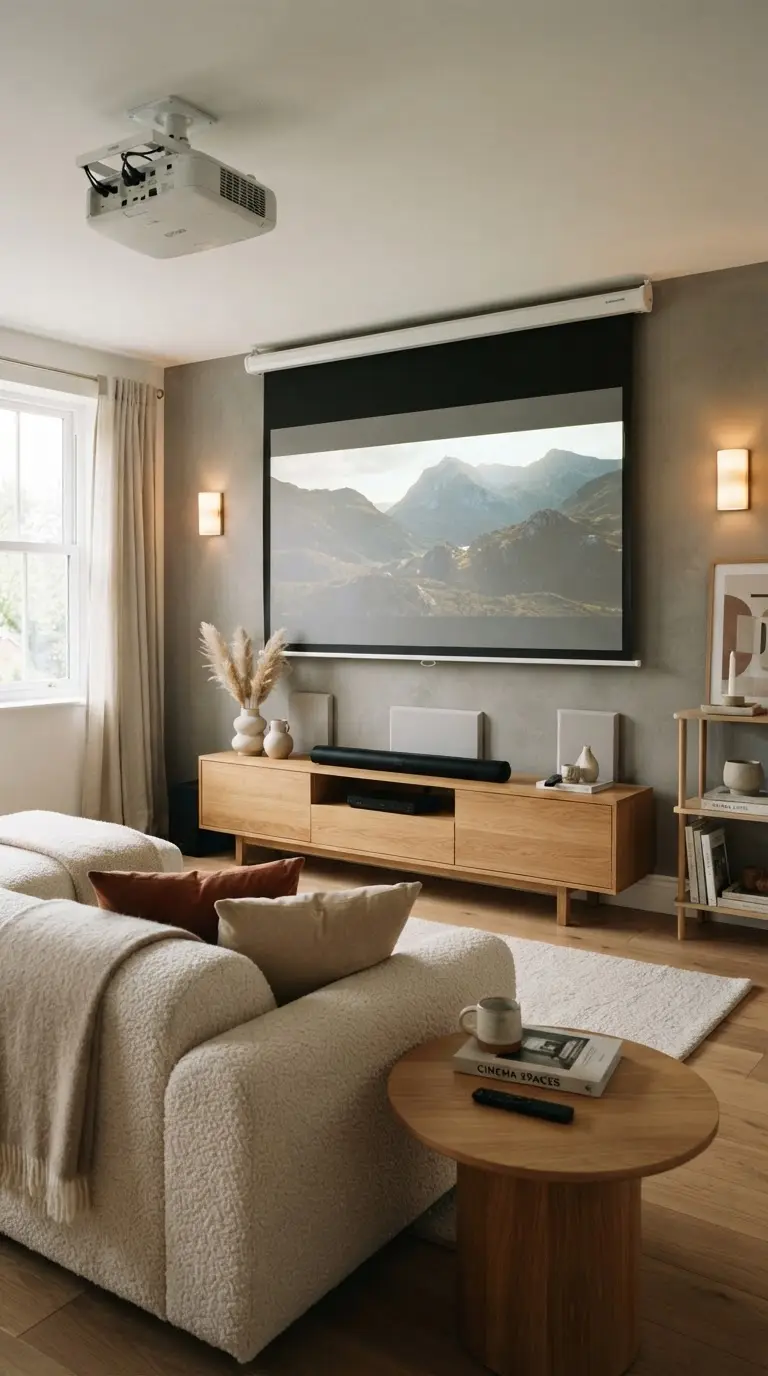
AI-generated editorial illustration; not a product or test photograph.
Short answer
Yes, a dedicated projector screen is essential for achieving optimal contrast, color accuracy, and light distribution. While a plain wall may suffice for casual, low-stakes viewing, it lacks the optical coatings and uniformity needed to handle black levels effectively, often leading to a washed-out, flat image regardless of your projector's performance.
3
Product listings discussed; not hands-on tests
3/3
Discussed listings with a recorded price
$24.99–$167.99
Recorded listing price range; not a complete setup cost
Key takeaways
Dedicated screens provide uniform surfaces that maximize your projector's native ANSI lumen output.
Ambient light rejection (ALR) screens are crucial for maintaining contrast in rooms with uncontrolled lighting.
Projecting onto bare walls often results in light loss and poor color reproduction due to surface texture.
Manual pull-down or tensioned screens offer better longevity and image stability than basic foldable fabric sheets.
Your projector's brightness and throw ratio should dictate your choice of screen material and gain.
Products discussed in this article
Editorial scores and recorded prices are reference points, not measurements of suitability for every use. Read each review's specifications and limitations.
Projector Screen with Stand 100 inch 16:9 for Movies$167.99
Mdbebbron 120 inch Projector Screen 16:9 Foldable$24.99
Projector Screen Comparison
Product
Diagonal Size
Type
Best For
Elite Screens B
100 inch
Manual Pull-Down
Controlled Light
PropVue
100 inch
Freestanding
No Wall Mounts
Mdbebbron
120 inch
Foldable Fabric
Casual/Outdoor
Why Isn't a White Wall Enough?
Many homeowners start their home theater journey by projecting onto a clean, white wall, assuming it mimics the performance of a professional screen. In practice, however, drywall is rarely perfectly flat or uniform. Even slight variations in texture, invisible to the naked eye, can create subtle distortions in a projected image, especially when using 4K resolution where pixel density is high. A professional surface like the Elite Screens Manual B is designed specifically to optimize light reflection, ensuring that what the projector outputs is what you actually see.
Beyond texture, surface color and reflectivity are critical. Most walls are painted with flat or matte finishes that absorb more light than they reflect, which reduces the perceived contrast of your image. This is particularly problematic in dark scenes, where a lack of proper reflectivity turns blacks into muddy grays. Our reviews indicate that even an entry-level manual pull-down screen can significantly improve color accuracy and light distribution. If you are serious about picture quality, see our guide to projectors to understand how these surfaces interact with your hardware.
Furthermore, if you are looking to upgrade your setup, explore the best home projectors currently on the market. Pairing a high-quality unit with the wrong surface is one of the most common mistakes to avoid when setting up a home theater. A dedicated screen acts as a neutral canvas, preventing color shifts that occur when projecting onto off-white or tinted walls. By providing a consistent gain—a measurement of how much light a screen reflects back toward the viewer—these products ensure that off-axis seating positions receive a consistent, bright image, which is rarely the case with bare walls.
When researching screens, you will encounter the term 'gain.' In technical terms, gain refers to how much light a surface reflects back to the audience compared to a theoretical standard white board. A screen with 1.0 gain is considered neutral, while positive gain (e.g., 1.2) can make an image appear brighter by narrowing the viewing angle. Conversely, if you have a powerful projector and a light-controlled room, you might prioritize a screen that enhances contrast over raw brightness. Consult our FAQ on projectors for a deeper look at these specifications.
Ambient light rejection (ALR) is the other piece of the puzzle. If your theater room has windows or overhead lighting, a standard matte white screen will wash out rapidly because white surfaces reflect all light indiscriminately. ALR screens are engineered with specialized materials that filter out off-axis light while focusing the light from your projector back to your seating area. While basic fabrics like the Mdbebbron foldable screen are perfect for temporary or outdoor use, they lack the optical complexity to combat ambient light. If you are planning an outdoor setup, check out the best outdoor projectors and consider how these screens will perform in your specific backyard environment.
For those needing a portable solution that provides better tension than a flat sheet, a stand-based model like the PropVue screen is a superior alternative. It offers a structured frame that keeps the material taut, preventing the edge curling and ripples that often degrade long-term viewing pleasure. Remember, there is no universal 'magic' screen that works for every situation. You must match the screen type to your projector's throw distance and your room's light control. For further advice, visit our blog on projectors to learn about optimizing your viewing space.
When choosing a screen for 4K projectors, ensure the fabric surface has a fine weave. Coarse textures can cause 'screen door' effects and reduce apparent sharpness.
The Role of Tension and Mounting
The physical construction of a screen is just as important as its optical material. A non-tensioned, manual pull-down screen is the entry-level standard, but these systems are prone to developing waves or edge curls over time due to the weight of the bottom rail pulling on the fabric. If you want a perfectly flat surface, you would typically look toward tab-tensioned fixed frames, though these come at a higher price point. If your budget is tight, start with a simpler setup and prioritize a flat installation surface, but be aware that fabric sheets—while inexpensive—do not offer the long-term structural integrity of a roller-housing system.
Mounting also plays a significant role in longevity. Ceiling-mounted systems are often safer in rooms with pets or active children, while wall mounts can be adjusted for height to align perfectly with your seating position. If you are using a short throw projector, the screen requirements change even more drastically, as even the tiniest ripple in the screen material will be magnified by the extreme angle of the light, causing visible warping. Never force a screen into a space it does not fit; always check the dimensions provided in our projector review category to ensure your chosen screen supports your room configuration.
Maintenance is the final factor. Dust and grease can ruin an expensive optical surface. If you do notice buildup, learn how to clean your projector screen properly to avoid stripping off the reflective coatings. Because many entry-level screens are made of synthetic polyesters or PVC, they are often washable, but always consult the specific manual for your model before attempting any cleaning. A well-maintained, correctly mounted screen will outlast multiple projector bulb or light-engine replacements, making it one of the best long-term investments for your home cinema.
Value for Money: When to Splurge
When budgeting for a home cinema, it is common to overspend on the projector and underspend on the surface. However, a mediocre projector on a great screen can often look better than a high-end projector on a bare wall. If you are constrained by a budget planner, consider splitting your investment more evenly. A basic $30-50 fabric sheet might satisfy your needs for an occasional backyard movie night, but it will never be the right solution for a dedicated media room or home theater.
For dedicated spaces, look for screens that offer at least a two-year warranty and verified gain ratings. Our analysis shows that mid-tier manual screens provide the most significant leap in image quality for the average consumer. They bridge the gap between temporary, foldable options and high-end, motorized, acoustic-transparent screens used in elite cinemas. If you find your current projector lacks the punch you desire, upgrading your screen is almost always more effective than buying a slightly brighter, but equally contrast-limited, entry-level projector.
If you are overwhelmed by the choices, use our product comparison tool to weigh the differences between different screen materials. Keep in mind that as the screen size increases, the requirements for projector lumens and surface quality also rise. A massive 150-inch screen requires a much brighter light source to maintain image density than a standard 100-inch model. By balancing these factors—size, gain, and room lighting—you can create a display that feels professional and immersive, even within a modest home environment. Always prioritize image quality, which is the cornerstone of our best budget projectors reviews, and ensure your surface is a match for your goals.
Avoid High-Gain for Bright Rooms
Positive gain screens (over 1.0) can actually make ambient light washout worse by reflecting room light directly into your eyes. Use a grey ALR screen instead.
Common Myths About Projector Screens
One of the most persistent myths is that all projectors are '4K ready' and therefore don't need a high-quality surface. In reality, the resolution of your projector is only one part of the equation; your screen must be able to resolve those pixels without adding its own grain. Low-quality fabric screens often have a textured weave that interferes with the pixel structure of 4K and 8K projectors, softening the image and defeating the purpose of the high-resolution hardware. A high-quality surface, like those featured in our best 4K projector roundup, is smooth enough to maintain native resolution clarity.
Another myth is that any screen can reject ambient light. This is simply not true. True ambient light rejection requires specialized, often dark-gray, micro-structured surfaces that are significantly more expensive than standard white screens. If a product claims to be an 'ALR' screen at a bargain price, be skeptical. Read the manufacturer specifications closely and look for clear, measured performance data. If a screen doesn't explicitly state its light-rejecting properties or gain, treat it as a standard white surface.
Finally, don't ignore the importance of the black border. Most professional screens include a black masking border around the projection area. This isn't just for aesthetics; it provides a visual reference that increases the perceived contrast of the image. By creating a high-contrast transition between the projected frame and the surrounding wall, it helps your brain perceive the colors within the screen as more vivid and the blacks as deeper. This simple, often overlooked design feature is one of the quickest ways to separate a dedicated cinema surface from a generic sheet of fabric. Investing in a screen with built-in masking is a small price to pay for the immediate visual improvement it brings to every movie night.
Integrating Sound with Your Screen
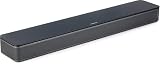
A great image is only half of the cinematic experience; the other half is audio. When installing a fixed projector screen, consider how it affects your sound setup. If you are placing a screen in front of a wall, you may need a soundbar or center speaker below the screen. The Bose TV Speaker or the Amazon Fire TV Soundbar are compact, unobtrusive options that can sit on a console beneath your screen without blocking the projection surface.
If you have more space, consider a dedicated surround system. The ULTIMEA Poseidon M60 offers a 5.1-channel experience that brings genuine depth to films, which is essential for larger screen sizes where the audio should match the scale of the image. When choosing audio hardware, remember to look for ARC/eARC connectivity. This allows your projector to pass audio signals directly to the sound system via a single cable, keeping your media cabinet clean and easy to manage. Poorly placed speakers or audio that feels disconnected from the screen is a common issue in DIY theater setups.
For those who prefer a simpler setup, soundbars like the Sony S100F provide a massive upgrade over internal, tinny projector speakers, especially for dialogue-heavy movies. Keep your audio components accessible but separate from the screen surface; trying to hide speakers behind a non-acoustic screen will muffle the sound and degrade performance. A balanced setup—where the visual scale of the screen is supported by clear, directional audio—is the key to a true home theater feeling, no matter the size of the room. Always check your projector and soundbar connectivity specifications to ensure they are compatible with standard HDMI ARC before beginning your installation.
1Measure the area to ensure the 16:9 aspect ratio fits your wall.
2Determine the optimal viewing height for eye-level engagement.
3Mark your mounting points using a level for alignment.
4Install high-quality anchors suited to your wall material.
5Mount the screen casing or frame securely, checking for stability.
6Retract or pull down the screen to verify smooth mechanics.
7Position your projector based on the screen's center point.
8Calibrate the projector's keystone and focus for the new surface.
Quick checklist
Measure your available wall space to confirm the diagonal fit.
Verify your projector's throw ratio matches the screen distance.
Decide between a fixed, manual, or portable screen type.
Check if your room has windows that require ALR material.
Ensure your wall mounting surface can support the screen weight.
Prepare for audio integration if using a stand-based screen.
Read the manufacturer's cleaning instructions before installation.
Frequently asked questions
Can I use a regular white bedsheet as a screen?
While you can project an image onto a sheet, it is not recommended. Sheets lack the opacity to prevent light bleed-through, leading to very poor black levels and low contrast. Furthermore, the weave of the fabric will create visible artifacts in the image, significantly reducing sharpness.
How do I choose between matte white and grey screens?
Matte white is best for dark rooms where you want accurate color representation and maximum brightness. Grey screens are intended for rooms with some ambient light; they help improve perceived black levels and contrast by absorbing more stray light, though they require a brighter projector to maintain image vibrancy.
Does my projector resolution affect screen choice?
Yes. If you are using a 4K or 8K projector, you need a smooth screen surface. A budget screen with a coarse, uneven texture may introduce unwanted grain that masks the detail of your high-resolution content. Always look for screens marketed as '4K-ready' for these higher-resolution projectors.
What happens if I don't use a screen at all?
Projecting onto a wall usually results in lower contrast, reduced brightness, and potential image distortion if your wall isn't perfectly smooth. Walls often have subtle textures that can create hotspots or light scattering, which degrade the image quality significantly compared to a proper projection surface.
How often should I clean my screen?
Clean your screen only when dust or debris becomes visible. Excessive cleaning can damage the optical coating. Always use a soft, lint-free cloth and mild soapy water if permitted by the manufacturer's manual. Never use harsh chemical cleaners, as they will strip the specialized reflective layers.
Amazon links are affiliate links; we may earn a commission at no cost to you.
Shortlists in this category
Ranked lists from our projectors & home theater reviews, limited to listings whose titles confirm the product type, with budget cuts where enough recorded prices sit on both sides of the line.
This page summarizes our research reviews of Amazon listings, listed specifications and captured buyer ratings. It is not a hands-on test. Scores are editorial assessments, not measured performance; prices are recorded snapshots and may change. A category can include both main products and accessories, so its overall price range is not the cost of a complete setup.
Most recent product record update: September 25, 2026. Individual records may be older; this is not a verification date for every claim. Prices on this page were read from the listings Nov 8, 2026 – Nov 11, 2026.
Compare the same kind of projectors & home theater
Choose the product type first. These groups require a match in the listing title; an import search term alone is not enough. Scores rank our recorded research assessments within each group, not independently measured performance.
Values are shown as recorded, without unit conversions or inferred compatibility. Not recorded means unknown, not absent. Prices are snapshots, not current offers. Editorial scores are research judgments, not lab results. Amazon links are affiliate links.
Before treating a comparison as complete
Which details are still unknown?
A specification appearing in a listing is not independent verification. These counts show which shortlisted records contain the same field; a blank record does not mean the product lacks the feature.
Item Dimensions W x H
Recorded for 2 of 2 shortlisted models
Present in every shortlisted record. Check units, exact variants and the current manufacturer documentation before relying on it.
Item Weight
Recorded for 2 of 2 shortlisted models
Present in every shortlisted record. Check units, exact variants and the current manufacturer documentation before relying on it.
Screen Dimensions
Recorded for 2 of 2 shortlisted models
Present in every shortlisted record. Check units, exact variants and the current manufacturer documentation before relying on it.
Screen Size
Recorded for 2 of 2 shortlisted models
Present in every shortlisted record. Check units, exact variants and the current manufacturer documentation before relying on it.
Color
Recorded for 2 of 2 shortlisted models
Present in every shortlisted record. Check units, exact variants and the current manufacturer documentation before relying on it.
Number of Packs
Recorded for 2 of 2 shortlisted models
Present in every shortlisted record. Check units, exact variants and the current manufacturer documentation before relying on it.
ANSI lumens are comparable; 'light source lumens' are not.
Contrast and black level matter far more than resolution claims.
Match screen gain and ambient-light rejection to projector throw and room lighting; there is no universal improvement multiplier.
If a specification, certification or compatibility detail is absent, mark it as unknown and ask the seller or manufacturer. Do not substitute a star rating, an editorial score or a different model's specification.