Best Office Chair for Long Hours: Ergonomic Picks for 2026
Discover the best ergonomic office chairs designed for extended daily use, emphasizing spine support, material breathability, and reliable mechanical construction.
By the Niche Picks editorsUpdated November 8, 202610 min readDrawn from our 32 research-based standing desks & ergonomic office reviews
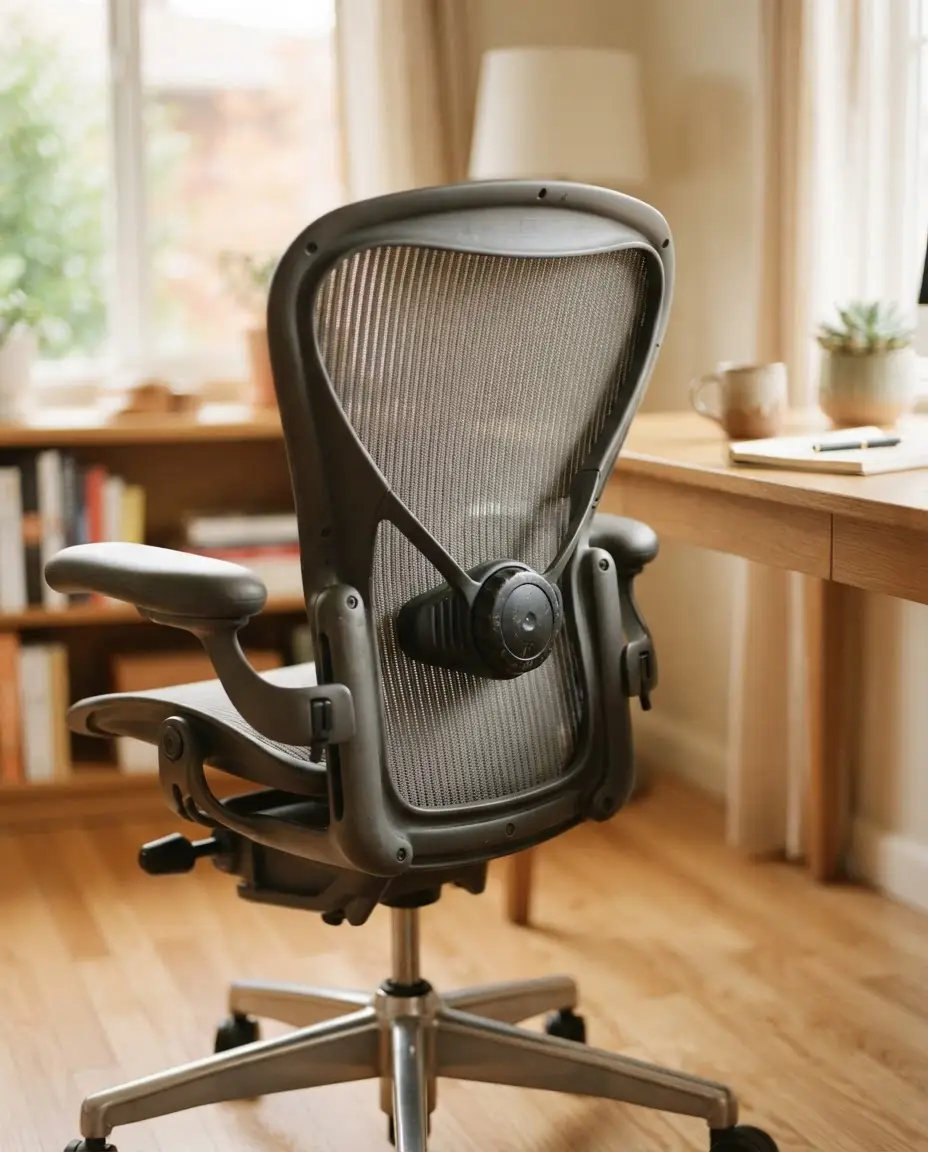
AI-generated editorial illustration; not a product or test photograph.
Short answer
The best office chair for long hours features adjustable lumbar support, breathable mesh materials, and a robust frame. For those on a budget, the SIHOO M18 offers significant ergonomic adjustments under $150, while the SIHOO B100 PRO provides advanced 4D armrests and a retractable footrest for maximum postural variety during work sessions.
5
Product listings discussed; not hands-on tests
4/5
Discussed listings with a recorded price
$39.88–$299.99
Recorded listing price range; not a complete setup cost
Key takeaways
Prioritize chairs with independent lumbar adjustment to ensure your lower spine remains supported throughout the day.
Select mesh-based backrests to increase passive airflow, which prevents heat retention during 8-hour shifts.
Always verify the manufacturer's warranty for the gas cylinder and tilt mechanism as indicators of product reliability.
Choose BIFMA-certified models for a verified baseline of weight capacity and structural durability.
Consider the vertical clearance of your desk when selecting chairs with non-adjustable or fixed armrests.
Products discussed in this article
Editorial scores and recorded prices are reference points, not measurements of suitability for every use. Read each review's specifications and limitations.
Why ergonomic support is critical for productivity
When you spend significant time at a workstation, your chair becomes the most important tool for preventing physical strain. A chair suitable for long hours must do more than just provide a seat; it needs to actively support your skeletal structure through the natural curve of your spine. The SIHOO M18, for example, allows users to adjust lumbar support both vertically and in depth, which is essential for maintaining proper posture as you fatigue throughout the day. Without this level of tuning, users often compensate by slumping, which shifts the load from your muscles to your intervertebral discs.
Adjustable lumbar support prevents lower back discomfort.
Breathable mesh backrests facilitate airflow, significantly reducing heat retention during long work shifts compared to dense foam upholstery.
A high-quality gas lift (Class-4) is essential to maintain seat height consistency without sinking.
Tilt-lock mechanisms allow for postural shifts between active tasking and brief, supported breaks, which is crucial for blood flow.
If your current setup relies on a basic, non-adjustable chair, you may find yourself suffering from mid-day aches. Our research into ergonomic office chairs highlights that budget models like the BestOffice Mid-Back Swivel are appropriate for occasional use but generally lack the depth of tuning required for 8-hour workdays. When evaluating these, we prioritize models with BIFMA certification, as this industry standard provides an objective benchmark for safety and durability. If you are also looking to upgrade your workspace, consider how buying tips can help you coordinate your chair with the height of your desk, ensuring that your elbows and wrists maintain a neutral angle, thereby reducing long-term shoulder and neck strain.
The structural integrity of an office chair is fundamentally linked to its weight capacity and the materials used in its construction. For users requiring a high-capacity chair, such as the GTPLAYER Big and Tall, which is rated for up to 400 pounds, the frame must be built from reinforced steel rather than thin, molded plastic. This added mass provides a stable foundation that resists the lateral and fore-and-aft wobble common in lighter-duty seating. Material selection also plays a pivotal role in comfort; while high-density foam padding can feel soft initially, it often lacks the thermal regulation of a full-mesh design found on the GABRYLLY Ergonomic Office Chair.
High-density foam seating offers longevity but can trap heat; mesh materials prevent this issue.
The base should preferably be constructed of metal, as it provides higher baseline rigidity compared to nylon.
Reinforced bases support heavier users and ensure smoother caster movement.
When you are planning a workspace upgrade, don't ignore the importance of how your chair fits into your budget planner. Investing in a chair that uses a certified Class-4 gas lift ensures that the seat doesn't degrade over time, a common failure point in unbranded alternatives. Furthermore, if you work in a small office, prioritize designs that include flip-up armrests. The GABRYLLY chair features this mechanism, which allows you to store the chair closely under your desk when not in use, freeing up valuable floor space. For those who want to compare different models, use our product comparison tool to examine the seat width and height ranges across different brands, ensuring that the dimensions match your body type for long-term comfort. Never assume that all mesh chairs are equivalent; the perimeter frame of a mesh seat can cause discomfort if the seat width is not aligned with your hip dimensions.
Measure the distance from the floor to your desk's underside. Ensure your chair's seat height and armrests can retract or fit comfortably without scraping the frame.
Customizing your recline and tilt mechanics
Effective ergonomic seating relies on the ability to move freely, which is why tilt mechanisms and recline locks are standard features in high-performance chairs. The SIHOO B100 PRO, for instance, offers three discrete tilt-lock positions at 110, 125, and 135 degrees. This flexibility is vital for long hours because it allows you to modify your pelvic alignment periodically, preventing the static pressure buildup that occurs when locked into a single position. While some budget chairs only provide passive tilt, mid-tier and premium models allow you to increase or decrease the tension required to recline, enabling the chair to push back against you based on your body weight.
Multi-position tilt locks provide varied support for different tasks, from intense typing to reading.
Tension adjustments allow the chair to match the user's weight, ensuring a controlled recline.
Integrated footrests, like those on the B100 PRO, provide extra support during longer recline sessions.
It is important to understand how your chair's tilt interaction affects your posture. Many people experience neck pain because they adjust their chair height but forget to coordinate this with their monitor arm. If you recline, your monitor may suddenly be at the wrong eye level. Always evaluate your entire ergonomic workspace as a system rather than individual components. If you have any doubt about how to optimize your environment, consult our FAQ section to understand why improper recline settings contribute to slouching. By utilizing proper adjustment techniques, you ensure that your chair continues to support your spine throughout the workday. Remember that even the best recline mechanism is ineffective if the chair's seat height is improperly set, as this can cause your feet to dangle or your knees to be elevated, both of which restrict circulation.
Armrests are frequently undervalued in ergonomic chair reviews, yet they are essential for reducing shoulder and neck tension during prolonged desk work. In the entry-level tier, chairs often feature fixed armrests that provide minimal support and may even obstruct your ability to move the chair close to your desk. As you move into intermediate tiers, you encounter 2D and 3D armrests that offer height and angle adjustments. Premium-level 4D armrests, seen in models like the SIHOO B100 PRO, allow for height, width, depth, and pivot modifications. This level of precision enables you to support your forearms while typing, gaming, or using a mouse, keeping your shoulders neutral and relaxed.
2D armrests generally provide height and width adjustment.
3D armrests add depth or pivot capabilities for better alignment with your keyboard.
4D armrests provide the most complete support, allowing for full positioning adjustments to match any desk setup.
When selecting an office chair, assess your desk workspace configuration first. If your desk has limited depth or includes structural crossbars, you must verify the clearance for your chosen armrests. Some users find that flip-up armrests are a better choice for small home offices because they offer a path for clearance that rigid armrests cannot provide. If you are concerned about the long-term maintenance of these moving parts, check our buying tips for advice on verifying warranty coverage for armrest mechanisms. Because moving parts are prone to wear, manufacturers that offer clear, multi-year warranties on their mechanical components demonstrate higher structural confidence than those that omit this information. For those who need help with their setup, look at our guide to understand the ideal neutral position for your elbows during various work tasks.
Solid faux leather or thick foam traps body heat, leading to discomfort. For sessions exceeding 4 hours, choose mesh or breathable fabric to ensure consistent airflow.
Maintaining your ergonomic chair for longevity
Maintaining an ergonomic chair is a simple but frequently ignored task that ensures it remains a viable support system for years. Over time, the daily vibration of typing and the repetitive movement of shifting in your seat can cause structural hardware to loosen. A quarterly maintenance routine, which involves inspecting and tightening all bolts and fasteners, is the most effective way to prevent premature wear in the seat-pan and backrest connections. Keeping the pneumatic cylinder and the base clear of debris, particularly if you have a household with pets or carpeted floors, also ensures that the caster wheels roll smoothly and that the chair height adjustment mechanism does not bind or seize due to trapped lint.
Tighten all bolts on the base, armrests, and backrest every 3-6 months.
Clean caster wheels regularly to maintain smooth movement and prevent uneven weight distribution.
Inspect the gas cylinder for any signs of settling; do not attempt to force it beyond its travel limit.
It is crucial to remember that your chair's warranty duration often serves as a proxy for the manufacturer's confidence in its design. While entry-level chairs may have shorter coverage, BIFMA-certified chairs and those from reputable brands typically provide clear terms for replacement parts. If you are ever in doubt about how to fix a minor issue, refer to the manufacturer's specific model documentation before attempting DIY repairs. If you find that your chair is no longer meeting your needs, refer to our standing desks and ergonomics category for potential updates to your workspace. Finally, if you have multiple users in your household, choose a chair with a broad range of adjustments, such as the SIHOO M18, as it provides enough tuning capability to accommodate different body types effectively. Proper care is not just about extending the life of your purchase; it is about protecting your health by ensuring your equipment remains in factory-spec condition.
Understanding the fine print regarding your chair's warranty is essential when investing in equipment for long hours of use. Many consumers focus solely on the initial retail price without investigating what happens when a gas cylinder fails or a tilt-lock mechanism breaks after two years of use. In the ergonomic chair market, the duration of coverage on moving parts, such as the pneumatic cylinder and tilt housing, is the single most important indicator of the product's intended lifespan. Commercial-grade chairs often offer 10 to 12-year warranties, reflecting their durable construction, while budget-tier chairs like the BestOffice may only cover you for a brief initial period.
Look for warranties that explicitly cover the gas cylinder and mechanical tilt housing separately.
Check for an accessible replacement parts program, which can save you from replacing the entire chair.
Note that return periods are often separate from long-term mechanical warranties.
Before purchasing, check if the manufacturer provides clear documentation for replacement parts. If you cannot find this, proceed with caution, especially if you plan to use the chair for more than 40 hours per week. If you are unsure about the reliability of a particular model, compare two products to see the difference in their stated warranty and material quality. We frequently discuss how these terms reflect the manufacturer's market position in our FAQ section. It is also wise to understand if a chair is modular; being able to replace a worn-out seat pad or a single caster wheel is far more environmentally and economically sustainable than discarding the entire assembly. For those who prefer to keep their gear for a decade, look for chairs with metal-frame internals, as they generally withstand the test of time significantly better than polymer-based alternatives, even if the initial cost is higher.
1Assemble the chair strictly following the included manual to ensure all frame components are square.
2Adjust the seat height so your feet are flat on the floor and your thighs are parallel to the ground.
3Set the lumbar support height and depth to fit the natural arch of your lower spine.
4Adjust your armrests so your elbows maintain a 90-degree angle and shoulders remain neutral while typing.
5Set the recline tension to your weight and test the tilt-lock features for stability.
6Perform a final check of all bolts after one week of use to ensure everything remains tightened.
Quick checklist
Verify BIFMA certification for structural safety.
Measure floor-to-desk clearance to ensure chair storage compatibility.
Check if the gas lift range supports your required seat height.
Confirm the lumbar support can be adjusted to your torso length.
Inspect the warranty duration for the gas cylinder and tilt mechanism.
Ensure seat width accommodates your frame for long-term comfort.
Verify if the armrests offer sufficient adjustability for your tasks.
Frequently asked questions
How often should I adjust my chair while working?
You should shift your posture every 30 to 60 minutes. Utilizing recline locks and adjusting lumbar tension throughout the day helps maintain blood flow and prevents spinal stiffness, ensuring you are not locked into a single position for too long.
Is mesh better than foam for long work hours?
Yes, mesh is generally preferred for long shifts because it promotes continuous airflow, preventing heat and moisture buildup. While foam cushions feel plush, they can trap heat and compress permanently over time, which reduces their effectiveness and comfort level.
What does BIFMA certification signify?
BIFMA certification means a chair has passed rigorous industry-standard testing for safety, durability, and weight capacity. It is a reliable indicator that the chair is constructed to withstand thousands of movement cycles and significant static pressure without premature structural failure.
Are 4D armrests necessary?
4D armrests are highly recommended for professional workstations, especially if you switch between typing, gaming, and reading. They allow you to adjust height, width, depth, and pivot, providing the exact support required to keep your shoulders relaxed and prevent strain.
How do I verify if a chair fits my desk?
Measure the gap between the floor and the underside of your desk. Compare this against the chair's minimum and maximum height and the highest point of the armrests. Ensure you have at least an inch of buffer for easy movement.
Amazon links are affiliate links; we may earn a commission at no cost to you.
Shortlists in this category
Ranked lists from our standing desks & ergonomic office reviews, limited to listings whose titles confirm the product type, with budget cuts where enough recorded prices sit on both sides of the line.
This page summarizes our research reviews of Amazon listings, listed specifications and captured buyer ratings. It is not a hands-on test. Scores are editorial assessments, not measured performance; prices are recorded snapshots and may change. A category can include both main products and accessories, so its overall price range is not the cost of a complete setup.
Most recent product record update: September 22, 2026. Individual records may be older; this is not a verification date for every claim. Prices on this page were read from the listings Nov 12, 2026 – Nov 13, 2026.
Compare the same kind of standing desks & ergonomic office
Choose the product type first. These groups require a match in the listing title; an import search term alone is not enough. Scores rank our recorded research assessments within each group, not independently measured performance.
Values are shown as recorded, without unit conversions or inferred compatibility. Not recorded means unknown, not absent. Prices are snapshots, not current offers. Editorial scores are research judgments, not lab results. Amazon links are affiliate links.
Before treating a comparison as complete
Which details are still unknown?
A specification appearing in a listing is not independent verification. These counts show which shortlisted records contain the same field; a blank record does not mean the product lacks the feature.
Included Components
Recorded for 2 of 2 shortlisted models
Present in every shortlisted record. Check units, exact variants and the current manufacturer documentation before relying on it.
For standing desks, check the working-height range, desktop dimensions and exact-model stability evidence. A listed load capacity does not prove stability at your preferred height.
Compare the documented lift capacity with your desktop, monitors, arms and equipment. For converters and monitor arms, check the separate mounting and load requirements.
Read warranty terms for the frame, motor and electronics separately, including exclusions and parts support. Warranty length is not a measured durability result.
If a specification, certification or compatibility detail is absent, mark it as unknown and ask the seller or manufacturer. Do not substitute a star rating, an editorial score or a different model's specification.