Best Linear Cream Switches for Mechanical Keyboards 2026
Finding the right linear feel depends on switch quality, factory lubrication, and board construction, not just a marketing name.
By the Niche Picks editorsUpdated November 8, 20268 min readDrawn from our 30 research-based mechanical keyboards & desk accessories reviews
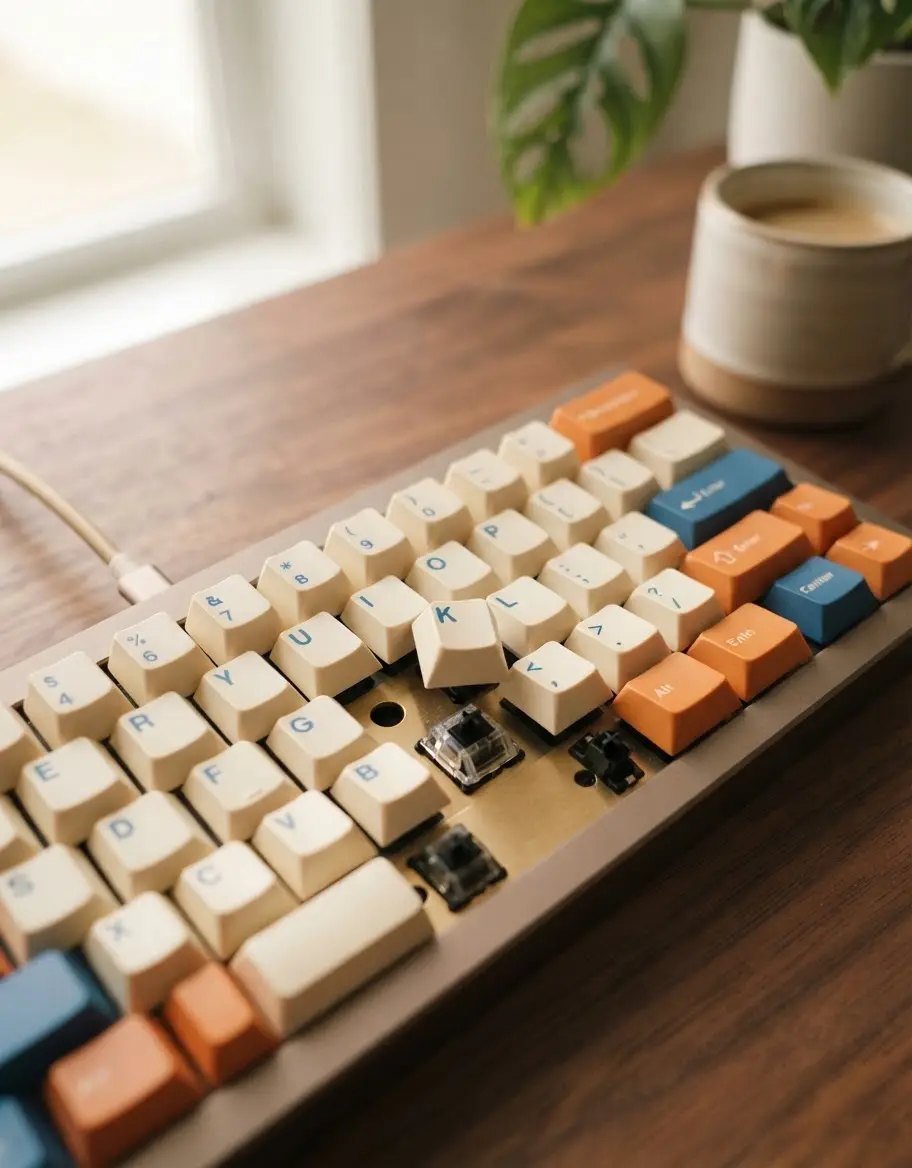
AI-generated editorial illustration; not a product or test photograph.
Short answer
True 'cream' switches are linear mechanical switches known for their smooth, friction-free travel and refined acoustic profile. When shopping, prioritize factory-lubed options like the EPOMAKER Creamy Jade for immediate performance, and ensure your keyboard features hot-swap sockets so you can easily replace individual switches as your typing preferences evolve over time.
4
Product listings discussed; not hands-on tests
4/4
Discussed listings with a recorded price
$19.99–$68.99
Recorded listing price range; not a complete setup cost
Key takeaways
Linear switches offer smooth, uninterrupted travel perfect for gaming and rapid-fire typing.
Factory-lubricated switches significantly reduce scratchiness and spring ping out of the box.
Hot-swap sockets are essential for longevity, allowing you to change switches without soldering.
Internal keyboard dampening, such as gasket mounting and case foam, impacts sound more than the switch itself.
PBT keycaps provide better texture and longevity than ABS caps, which often develop a polished shine.
Products discussed in this article
Editorial scores and recorded prices are reference points, not measurements of suitability for every use. Read each review's specifications and limitations.
Comparison of Budget-Friendly Linear Switch and Keyboard Options
Product
Type
Hot-Swappable
Price
Best For
EPOMAKER Creamy Jade
Switch (100-pack)
N/A
$19.99
Switch upgrades
AULA F75 Pro
Keyboard
Yes
$69.99
Enthusiasts
Redragon K668
Keyboard
Yes
$39.99
Full-size budget
Redragon K671
Keyboard
Yes
$29.99
Entry-level
What defines a 'creamy' linear switch?
In the mechanical keyboard hobby, the term 'creamy' describes a smooth, muted, and satisfying acoustic profile often associated with linear switches. Unlike clicky switches, which produce an audible sharp report, or tactile switches, which feature a noticeable bump during the keystroke, linear switches move straight down. The EPOMAKER Creamy Jade exemplifies this by utilizing low-friction materials like polyketone (POK) stems, which minimize lateral wobble and maximize consistency.
However, the switch is only one part of the experience. The housing material and factory lubrication play major roles in how a switch sounds and feels. Modern enthusiast-grade switches often come pre-lubed, a labor-saving feature that prevents the metal-on-plastic friction often heard as 'scratchiness' in unlubed units. When paired with the right chassis, such as the AULA F75 Pro, which uses multiple layers of sound-absorbing material, these linear switches deliver the hallmark deep, thocky, or creamy sound signature sought by enthusiasts.
For those browsing mechanical keyboards, it is helpful to understand that 'cream' is largely a marketing descriptor for a smooth linear feel. If you are new to custom builds, our buyer's guide explains why you should focus on board architecture—specifically gasket mounting—if you want to achieve that specific 'creamy' bottom-out sound. Without proper case dampening, even the most expensive linear switches will sound hollow if placed in a basic, empty plastic case.
One of the most common mistakes to avoid is purchasing a non-modular, soldered keyboard. With the rapid evolution of linear switch profiles and the affordability of aftermarket switches, hot-swap sockets are a mandatory feature for any serious desktop setup. These sockets allow you to pull out the existing switches and push in new ones without ever touching a soldering iron.
Consider the Redragon K668; at its price point, it provides full hot-swap compatibility, which effectively extends the life of the entire peripheral. If a switch fails or your tactile preference shifts from a 45gf linear switch to something heavier, you only replace the small components, not the entire device. This modularity is the core of modern mechanical computing.
When you explore the best budget mechanical keyboards, you will find that the availability of hot-swappable sockets is now standard even at lower price points. This feature is a massive advantage for anyone looking to experiment with different 'cream' or linear switch brands. Keeping a set of spares on hand, or even a specialized switch puller, ensures that you can perform maintenance quickly. Always verify the pin count (3-pin vs 5-pin) on your chosen mechanical keyboards & desk accessories before buying new switches, as 5-pin switches often require clipping for compatibility with older 3-pin boards.
Most modern hot-swap boards are 5-pin, but older boards use 3-pin sockets. You can always use 5-pin switches on a 3-pin board by clipping the two extra plastic pins, but check your PCB first.
How keycap material affects your typing
The material, thickness, and finish of your keycaps are just as vital as the linear switch underneath. The most significant issue with budget boards is the use of ABS plastic, which tends to develop a greasy, polished 'shine' within months of daily friction. In contrast, PBT (polybutylene terephthalate) keycaps offer a textured, matte finish that is significantly more resistant to wear.
When reviewing mechanical keyboards, we consistently recommend PBT construction for its ability to maintain a 'fresh' feel. If your keyboard arrives with ABS caps, you will eventually find yourself looking for a replacement set to maintain the typing experience. Furthermore, the thickness of the keycap impacts the overall sound; thicker caps generally produce a deeper, more refined acoustic tone, which pairs beautifully with the smooth travel of linear cream switches.
If you find your current keycaps are losing their texture, it is likely time to upgrade to a double-shot PBT set. Double-shot molding means the legends are part of the plastic structure itself, ensuring they never fade. Always check our buying tips regarding legends and compatibility; side-printed or dye-sublimated legends are excellent alternatives that keep your main typing area clear of wear. Proper care, which involves following our how to clean a mechanical keyboard guide, will help prevent oils from degrading your caps prematurely, ensuring your board stays in top condition throughout its service life.
A frequent point of confusion for new builders is the assumption that a specific switch brand will fix a hollow-sounding keyboard. While a high-quality, pre-lubed linear switch helps reduce metallic 'ping,' the vast majority of a keyboard's sound is generated by the chassis. This includes the plate material, the density of the case foam, and the presence of silicone gaskets.
Entry-level boards, such as those discussed in our Mechanical keyboards & desk accessories FAQ, often lack internal sound-dampening layers. This results in an acoustic signature that vibrates through the plastic case. If you are trying to achieve a 'cream' or 'thock' sound, look for boards like the AULA F75 Pro, which features multiple layers of sound-absorbing materials and a gasket-mounted design. These features isolate the PCB from the hard plastic or metal frame, resulting in a much more muted and pleasant typing experience.
If you have a board that sounds too loud or hollow, consider adding aftermarket case foam or silicone dampeners. These simple modifications can have a more dramatic effect on your typing sound than upgrading to premium switches. When searching for the best mechanical keyboards for typing, always check the construction specs to see if the manufacturer includes these dampening layers, as they are a hallmark of modern, higher-quality mechanical peripherals. Modding an existing board is a great way to learn about acoustics before investing in entirely new hardware, allowing you to fine-tune your desk environment to your personal taste.
If a listing doesn't specify the keycap material, assume it is ABS. ABS caps will develop an oily shine much faster than PBT caps, so prioritize PBT for a longer-lasting, matte finish.
Choosing the right wireless performance
For many users, especially those working on the best wireless mechanical keyboard, connectivity is the final piece of the puzzle. Whether you are gaming or working, you want a connection that feels as responsive as a wired one. Look for boards that offer tri-mode connectivity (Bluetooth, 2.4GHz wireless, and USB-C). The 2.4GHz wireless standard is particularly vital for gaming, as it provides the low-latency experience that Bluetooth often lacks.
Battery life is another critical metric. A keyboard like the AULA F75 Pro includes a generous 4000mAh battery, ensuring you aren't tethered to a charging cable during your most productive hours. If you compare this to smaller portable options, the difference in weight and capacity becomes clear. When managing multiple devices, having a keyboard that can toggle between three or more devices via simple key commands is invaluable for a modern workflow, especially if you are also using a wireless mouse.
Remember that wireless mechanical boards are slightly more complex to maintain due to the battery. Always follow manufacturer charging instructions and avoid leaving your board in extreme temperatures, which can degrade the lithium-ion cells inside. If you are ever in doubt about the compatibility of your wireless board with your budget requirements or computer setup, our compare tool can help you see side-by-side differences between various models. Ultimately, a reliable wireless keyboard provides a clean desk aesthetic without sacrificing the mechanical feel you love.
The true cost of a mechanical keyboard isn't just the purchase price; it is the total cost of ownership over several years. By selecting modular boards that allow for switch and keycap replacement, you are making a choice that prevents your hardware from becoming e-waste. The ability to swap a failing switch or change your aesthetic with new PBT keycaps keeps your setup feeling current for much longer.
For those looking to optimize their desk for programming, the consistency of your gear is paramount. High-quality linear switches and a solid, gasket-mounted build provide the reliability needed for long coding sessions. Our archives on mechanical keyboards feature various build types, from full-sized productivity rigs to compact wireless enthusiast boards, providing a wealth of information for every level of experience. Whether you choose to build from a kit or buy a pre-assembled unit, focus on these durable foundations.
Lastly, keep your desk ergonomic. Pairing a high-quality mechanical keyboard with a wrist rest—especially one that levels out the height of your board—will significantly reduce strain. We’ve reviewed several options that help maintain a neutral wrist position during long days of typing. With a combination of modular, hot-swappable hardware, durable PBT keycaps, and proper ergonomic support, your setup will serve you reliably for years to come. Do not be afraid to customize and tweak; that is the essence of the mechanical keyboard experience.
1Use a switch puller to gently remove the existing switch from the hot-swap socket.
2Check the new switch pins to ensure they are straight and undamaged.
3Align the switch pins with the hot-swap socket holes on the PCB.
4Press the switch straight down firmly until you feel it snap into the plate.
5Test each key in a typing application to confirm successful actuation.
6Reinstall your keycaps once all switches are tested and confirmed working.
Quick checklist
Verify if your keyboard is hot-swappable (required for easy switch changes).
Confirm the switch pin count (3-pin vs 5-pin) for PCB compatibility.
Look for factory-lubricated switches to save time and reduce noise.
Choose PBT keycaps to avoid the greasy shine of cheaper ABS plastic.
Check if your keyboard chassis includes acoustic dampening foam or gaskets.
Ensure the layout (75%, TKL, or full-size) fits your available desk space.
Consider tri-mode wireless connectivity for maximum desk flexibility.
Frequently asked questions
Do cream switches actually feel like cream?
No, the term 'cream' is a marketing and community descriptor. It typically refers to a very smooth, frictionless linear feel and a specific muted acoustic profile, rather than any physical creaminess.
Can I put cream switches in any keyboard?
You can only use them if your keyboard is 'hot-swappable.' If your keyboard is a standard soldered model, you would need to desolder all existing switches, which is a complex and risky process for beginners.
Do I need to lubricate my switches myself?
Many modern linear switches come 'pre-lubed' from the factory, which is excellent for most users. While manual hand-lubing can yield slightly better results, factory lubrication is generally sufficient for a smooth, pleasant feel.
Does the switch brand determine how quiet my keyboard is?
Only partially. While the switch helps reduce internal noise, the majority of keyboard sound is dictated by the case materials, internal dampening foam, and the mounting style (like gasket vs. tray mount).
Why does my keyboard sound hollow?
Hollow sound is usually caused by an empty chassis without acoustic dampening. You can significantly improve the sound by adding aftermarket case foam or silicone layers inside the keyboard housing.
Amazon links are affiliate links; we may earn a commission at no cost to you.
Shortlists in this category
Ranked lists from our mechanical keyboards & desk accessories reviews, limited to listings whose titles confirm the product type, with budget cuts where enough recorded prices sit on both sides of the line.
This page summarizes our research reviews of Amazon listings, listed specifications and captured buyer ratings. It is not a hands-on test. Scores are editorial assessments, not measured performance; prices are recorded snapshots and may change. A category can include both main products and accessories, so its overall price range is not the cost of a complete setup.
Most recent product record update: September 15, 2026. Individual records may be older; this is not a verification date for every claim. Prices on this page were read from the listings Nov 8, 2026.
Compare the same kind of mechanical keyboards & desk accessories
Choose the product type first. These groups require a match in the listing title; an import search term alone is not enough. Scores rank our recorded research assessments within each group, not independently measured performance.
Values are shown as recorded, without unit conversions or inferred compatibility. Not recorded means unknown, not absent. Prices are snapshots, not current offers. Editorial scores are research judgments, not lab results. Amazon links are affiliate links.
Before treating a comparison as complete
Which details are still unknown?
A specification appearing in a listing is not independent verification. These counts show which shortlisted records contain the same field; a blank record does not mean the product lacks the feature.
Connectivity Technology
Recorded for 2 of 2 shortlisted models
Present in every shortlisted record. Check units, exact variants and the current manufacturer documentation before relying on it.
Gasket mounting and case foam change feel more than switch brand.
Hot-swap sockets keep a board useful after your taste shifts.
Compare keycap material, thickness and finish; wear depends on the formulation and use, not a guaranteed lifespan for PBT or ABS.
If a specification, certification or compatibility detail is absent, mark it as unknown and ask the seller or manufacturer. Do not substitute a star rating, an editorial score or a different model's specification.