The AULA F75 Pro is the strongest wireless mechanical pick here, pairing hot-swap sockets, PBT keycaps, and extensive sound-dampening materials for $69.99.
By the Niche Picks editorsUpdated October 7, 20269 min readDrawn from our 30 research-based mechanical keyboards & desk accessories reviews
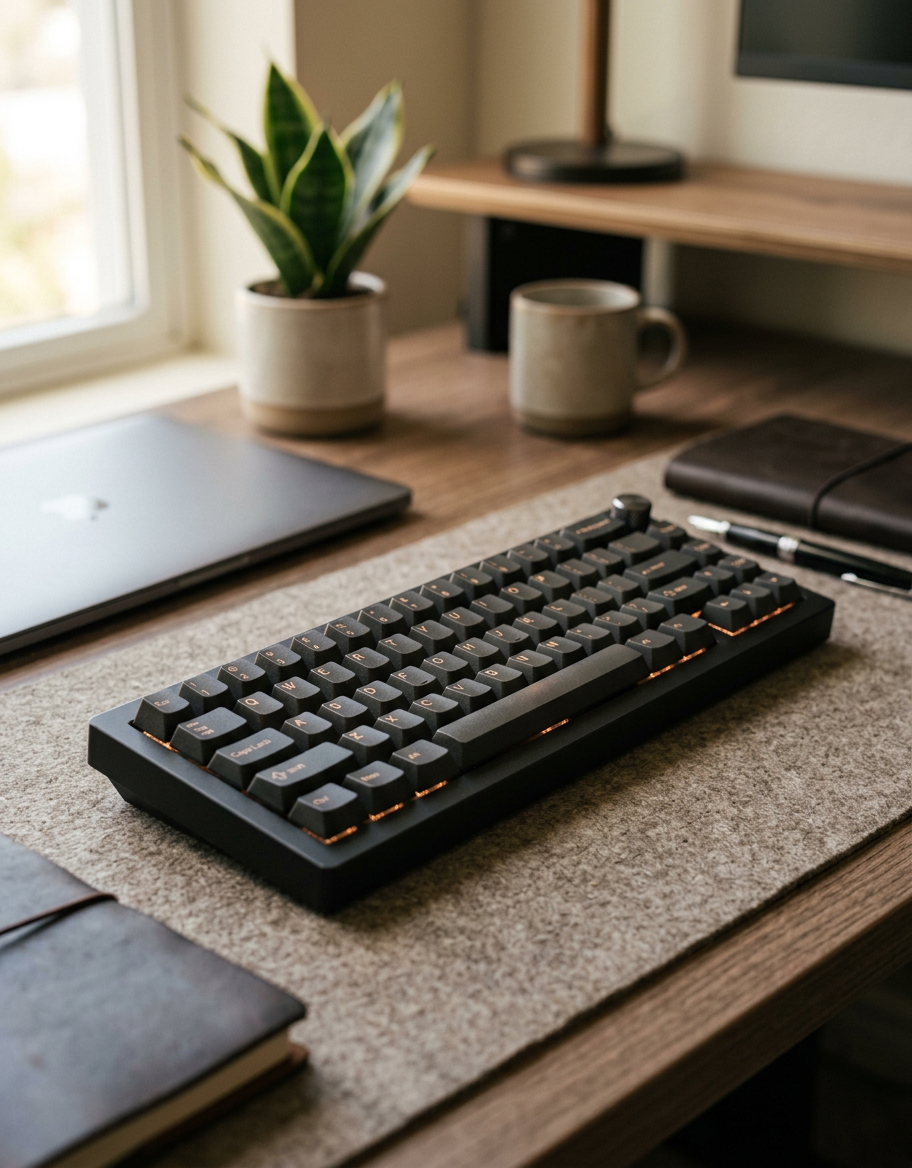
AI-generated editorial illustration; not a product or test photograph.
Short answer
The best wireless mechanical keyboard in our reviews is the $69.99 AULA F75 Pro. It combines 2.4GHz, Bluetooth 5.0, and USB-C connectivity with 3-pin/5-pin hot-swap sockets, PBT keycaps, and five layers of sound-absorbing material. Choose the $139.99 Logitech MX Mechanical instead only if a low-profile, office-oriented wireless keyboard matters more than switch customization.
2
Product listings discussed; not hands-on tests
2/2
Discussed listings with a recorded price
$69.99–$139.99
Recorded listing price range; not a complete setup cost
Key takeaways
The AULA F75 Pro is the best overall choice because it pairs wireless flexibility with hot-swap sockets, PBT keycaps, and documented internal sound-dampening materials.
Its compact 75% layout has 81 keys and a rotary encoder, so it saves desk space but does not include a dedicated numeric keypad.
The Logitech MX Mechanical is a slim, quiet tactile alternative for office setups, but it lacks hot-swap sockets and documented internal foam.
Case damping and mounting design affect a keyboard's bottom-out feel and enclosure resonance more than the switch brand alone.
PBT can be a sensible keycap material for texture and shine resistance, but thickness, finish, formulation, and everyday use all affect wear.
Products discussed in this article
Editorial scores and recorded prices are reference points, not measurements of suitability for every use. Read each review's specifications and limitations.
No hot-swap; keycap material unspecified; tray-mount with no listed foam or plate dampeners
What is the best wireless mechanical keyboard?
The AULA F75 Pro is our top wireless mechanical keyboard recommendation at $69.99. It is a compact 75% board with 81 keys, a rotary encoder, 2.4GHz wireless, Bluetooth 5.0, and USB-C connectivity. More importantly, it has the long-term features that make a prebuilt mechanical keyboard easier to live with: 3-pin and 5-pin hot-swap sockets, factory-lubed linear switches, and double-injection PBT keycaps with dye-sublimated, side-printed legends.
Its construction is unusually well specified for the price. A slotted PCB, extended silicone pad, and five layers of sound-absorbing material are intended to reduce enclosure resonance and create a more muted, even bottom-out. That matters more to overall feel than simply choosing one linear switch brand over another. The mounting method is not explicitly identified as gasket mounting, so shoppers specifically seeking a gasket-mounted board should verify the current exact-model documentation before buying.
The trade-off is layout. A 75% keyboard keeps arrows, a function row, and navigation keys in a compact footprint, but removes the dedicated numpad. If that works for your desk, the F75 Pro is the most complete enthusiast-leaning wireless option in our mechanical keyboard reviews.
At the listed price, its 4.6-star average from 1,804 customer ratings also provides useful broad-market context, though ratings should not replace checking the layout, legend placement, and connection needs for your setup.
Why does the AULA F75 Pro win over the alternatives?
The F75 Pro wins because its feature set addresses the parts of a keyboard that are expensive or inconvenient to change later. Its hot-swap PCB accepts both 3-pin and 5-pin mechanical switches, letting you replace a failed switch or try a different weighting and feel without soldering. That flexibility can extend the useful life of the board after your preferences change.
It also documents its acoustic construction more clearly than the other relevant wireless option. The board uses five layers of sound-absorbing material, an extended silicone pad, and a slotted PCB. Those parts help manage vibrations and empty-case resonance. Switches still influence sound and feel, but they cannot fully correct a rigid, hollow enclosure.
The stock PBT keycaps are another practical advantage. PBT is often chosen for a textured surface and better resistance to finger polish than typical ABS, but no plastic guarantees a particular lifespan. Cap thickness, texture, formulation, cleaning habits, and usage determine how a set ages. The F75 Pro’s side-printed legends preserve a clean top surface, although they can be harder to read in low light.
Before committing, compare its compact layout against your workflow using our mechanical keyboard buyer's guide. If you enter lots of numeric data, needing a separate numpad may outweigh the F75 Pro’s space savings. If you mainly type, game, and use shortcuts, its 81-key format is a strong balance of access and desk efficiency.
Is the Logitech MX Mechanical a better office keyboard?
The Logitech MX Mechanical is the better fit for a particular buyer: someone who wants a polished, low-profile wireless keyboard for office productivity and prefers quiet tactile switches over a more customizable enthusiast-style board. Its listed price is $139.99, double the cost of the AULA F75 Pro, and it has a 4.2-star average from 2,249 customer ratings.
The MX Mechanical uses low-profile tactile quiet switches, white single-color backlighting, a rechargeable 1,500mAh battery, and an aluminum top plate. Logitech states up to 15 days of battery life with backlighting active and approximately 10 months with lighting off. Its slim 26.1mm profile may suit people who dislike the taller front edge of conventional mechanical boards.
However, it is not the stronger value for keyboard enthusiasts. The documented construction is tray-mounted rather than gasket-mounted, and no internal case foam or plate dampeners are listed. It also lacks hot-swap sockets, so changing switch type or replacing a failed switch is not a straightforward user-serviceable job. Keycap material is not specified in the documentation, so it should not be assumed to be PBT.
In short, buy the MX Mechanical for its low-profile office design and wireless productivity focus—not for customization. Readers who want a more traditional typing layout can also review our picks for mechanical keyboards for typing before deciding whether a compact 75% board fits their work.
Which wireless features should you compare before buying?
Start with how you actually connect devices. The AULA F75 Pro supports 2.4GHz wireless, Bluetooth 5.0, and USB-C, and its documentation states it can switch among up to five paired devices by key combination. This gives it a useful mix for a desktop receiver, portable devices, and wired operation. Its 4,000mAh battery is also substantially larger on paper than the 1,500mAh battery documented for the Logitech MX Mechanical, though manufacturers’ battery claims depend heavily on backlighting and use patterns.
Then consider the layout before color, RGB effects, or switch names. The F75 Pro’s 75% format omits the numpad, while the MX Mechanical is positioned as a productivity-oriented QWERTY keyboard. Neither should be treated as universally better: compact boards free space for a mouse and travel more easily, while larger layouts reduce reliance on layers and external numpads.
Finally, assess serviceability. Hot-swap sockets are especially valuable if you do not already know whether you prefer linear, tactile, or clicky switches. The F75 Pro supports 3-pin and 5-pin replacements; the MX Mechanical does not offer that route. Use our keyboard FAQ for terminology, and avoid assuming that a board advertised as “wireless” is automatically mechanical. Some low-cost listings use mechanical-style wording while the underlying product is a membrane keyboard.
For shoppers comparing cost against the features they will genuinely use, a quick budget planner can help separate necessary wireless connectivity from nice-to-have lighting and knob controls.
How much do case foam, mounting, switches, and keycaps matter?
For typing feel and sound, begin with the keyboard’s structure. Gasket mounting isolates the plate or PCB from the case with compressible material, generally softening the bottom-out and changing vibration transfer. Case foam, silicone pads, and other dampening layers reduce empty-cavity resonance. Neither approach makes every keyboard quiet, but both usually make a larger difference than changing between similar linear switch brands.
That is why the AULA F75 Pro’s documented five sound-absorbing layers, silicone pad, and slotted PCB are meaningful advantages. Its exact mounting method is not stated, so do not call it gasket-mounted without confirmation. Conversely, the Logitech MX Mechanical is described as tray-mounted with no listed internal foam or plate dampeners, pointing toward a firmer, potentially more reverberant bottom-out character.
Switch type is still important. The F75 Pro arrives with factory-lubed LEOBOG Reaper linear switches, while the MX Mechanical uses low-profile tactile quiet switches. Linear switches move without a tactile bump; tactile switches include perceptible feedback during the press. Neither is objectively best. Hot-swap sockets make that choice less permanent on the AULA.
Keycaps affect both contact texture and the final sound. PBT is often textured and less prone to polish than common ABS, but PBT versus ABS alone does not predict durability. Look at thickness, molding, surface finish, legend method, and your use. For more practical shopping guidance, see these mechanical keyboard buying tips and the common mistakes to avoid.
Skip the AULA F75 Pro if a dedicated numpad is non-negotiable. Its 81-key 75% layout is intentionally compact, and no amount of firmware customization creates a physical numeric keypad. It is also not the ideal pick for buyers who need top-printed legends for easy low-light visibility; its legends are side-printed.
Skip the Logitech MX Mechanical if you want to experiment with switches, repair individual switches without soldering, or prioritize documented case dampening. Its premium price does not include hot-swap sockets, and the available construction details do not list foam or plate dampeners. Its low-profile switches and slim form factor may also feel too shallow for users who specifically want a conventional-height mechanical keyboard.
We would also avoid treating the $27.99 AULA S99 as an alternative in a best wireless mechanical keyboard shortlist. Despite “mechanical” language in some listing fields, its review documentation identifies it as a membrane keyboard with no hot-swap sockets. It may be a low-cost wireless general-use keyboard, but it does not meet the mechanical requirement of this search.
If you need a full-size mechanical layout at a lower price, the reviewed full-size options are wired rather than wireless, so they are outside this recommendation. That limitation is worth stating instead of forcing an unsuitable product into the ranking. Compare form factors and feature trade-offs directly with our product comparison tool, then confirm current compatibility and support details with the manufacturer for the exact version you plan to buy.
Decide whether a 75% layout without a dedicated numpad fits your daily work.
Choose the connection methods you need: 2.4GHz receiver, Bluetooth, wired USB-C, or a combination.
Confirm the keyboard uses genuine mechanical switches rather than a membrane design.
Prefer hot-swap sockets if you may change switches or want easier individual-switch replacement.
Check whether the manufacturer documents foam, silicone pads, or gasket mounting instead of inferring construction from marketing photos.
Compare keycap material, thickness, legend placement, and surface finish rather than assuming all PBT or ABS caps age the same way.
Verify compatibility, layout language, firmware features, and warranty details for the exact model and current listing.
Frequently asked questions
Is the AULA F75 Pro actually wireless?
Yes. The AULA F75 Pro supports 2.4GHz wireless and Bluetooth 5.0, and it can also connect through USB-C. Its documentation states that it can switch among up to five paired devices with key combinations. That makes it suitable for a mixed desk setup, although connection behavior and compatibility should be confirmed for your exact devices.
Does the AULA F75 Pro have gasket mounting?
Its reviewed documentation identifies a slotted PCB, an extended silicone pad, and five layers of sound-absorbing material, but it does not explicitly identify the mounting system as gasket-mounted. Those acoustic materials are meaningful for managing resonance, yet buyers who specifically want gasket mounting should confirm that feature in current exact-model manufacturer documentation.
Are hot-swappable keyboards worth it?
For many buyers, yes. Hot-swap sockets allow compatible switches to be removed and replaced without desoldering. That is useful if a switch fails or if you later decide you prefer a different linear, tactile, or clicky feel. The AULA F75 Pro accepts both 3-pin and 5-pin switches; the Logitech MX Mechanical does not offer hot-swap support.
Is PBT always better than ABS keycaps?
Not always. PBT is commonly valued for a textured surface and resistance to the glossy polish associated with many ABS caps, but material alone does not determine quality or lifespan. Thickness, texture, molding, coating, legend process, cleaning, and use all matter. The AULA F75 Pro has documented PBT caps, while the Logitech MX Mechanical's keycap material is unspecified.
Is the Logitech MX Mechanical worth $139.99?
It can be worthwhile for someone specifically seeking a low-profile, quiet tactile wireless office keyboard with an aluminum top plate and rechargeable battery. It is less compelling for a buyer who wants customization because it lacks hot-swap sockets and does not list internal foam or plate dampeners. At nearly twice the F75 Pro's listed price, it serves a narrower preference.
What keyboard size is best for a wireless mechanical keyboard?
The best size depends on your workflow. A 75% board such as the AULA F75 Pro saves desk space while retaining a function row, arrows, and navigation keys, but omits a dedicated numpad. A larger layout is generally better for frequent numeric entry. Choose based on the keys you use daily rather than assuming smaller or larger is inherently superior.
Amazon links are affiliate links; we may earn a commission at no cost to you.
Sources and limits
This page summarizes our research reviews of Amazon listings, listed specifications and captured buyer ratings. It is not a hands-on test. Scores are editorial assessments, not measured performance; prices are recorded snapshots and may change. A category can include both main products and accessories, so its overall price range is not the cost of a complete setup.
Most recent product record update: September 14, 2026. Individual records may be older; this is not a verification date for every claim.
Compare the same kind of mechanical keyboards & desk accessories
Choose the product type first. These groups require a match in the listing title; an import search term alone is not enough. Scores rank our recorded research assessments within each group, not independently measured performance.
Gasket mounting and case foam change feel more than switch brand.
Hot-swap sockets keep a board useful after your taste shifts.
Compare keycap material, thickness and finish; wear depends on the formulation and use, not a guaranteed lifespan for PBT or ABS.
If a specification, certification or compatibility detail is absent, mark it as unknown and ask the seller or manufacturer. Do not substitute a star rating, an editorial score or a different model's specification.

 AULA F75 Pro Wireless Mechanical Keyboard,75% Hot Swappable Custom Keyboard with Knob,RGB