The best drawing tablet depends on whether you value direct-on-screen drawing, a large screenless workspace, etched texture, or the lowest possible price.
By the Niche Picks editorsUpdated October 7, 20269 min readDrawn from our 30 research-based art supplies & tablets reviews
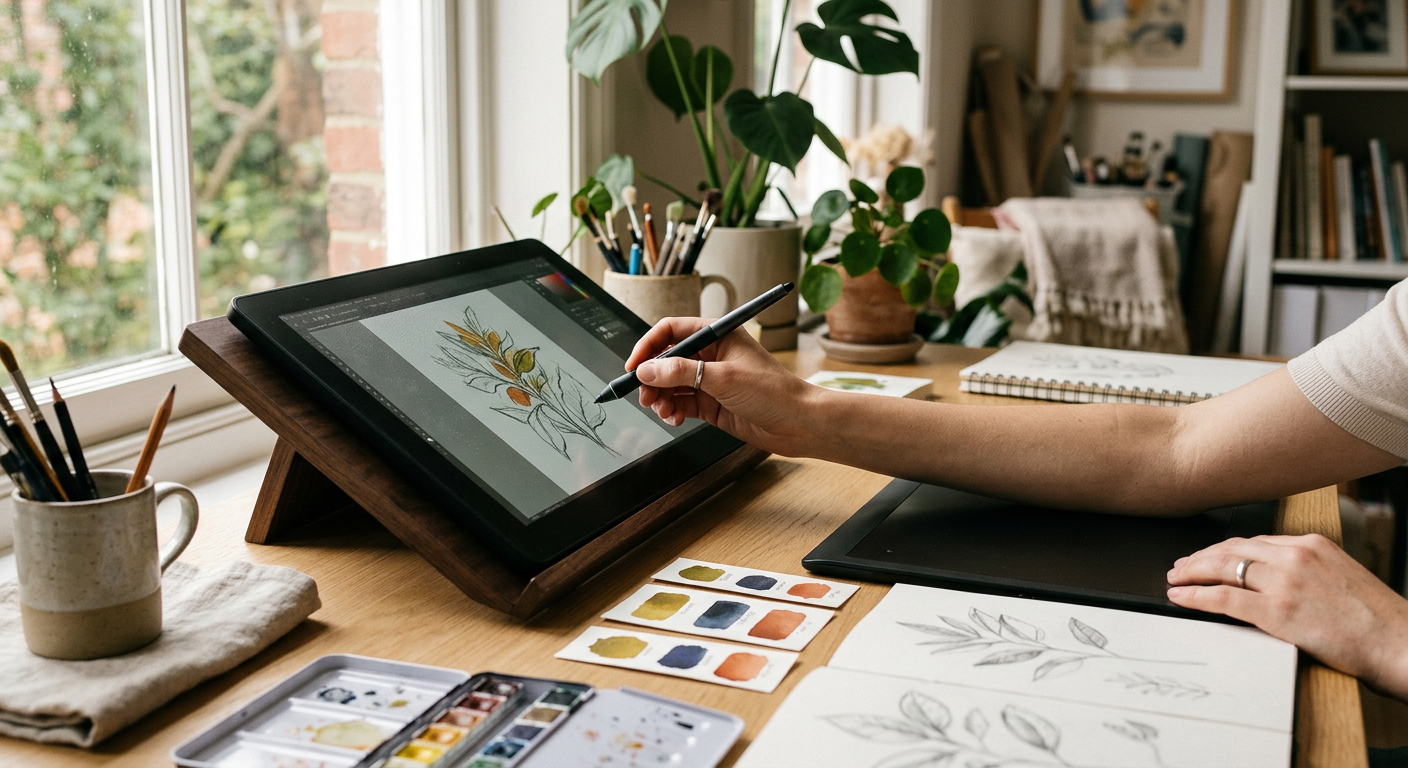
AI-generated editorial illustration; not a product or test photograph.
Short answer
The XPPen Artist 12 3rd is our best drawing tablet overall because its fully laminated 11.9-inch FHD screen, etched anti-glare glass, two dial wheels, and eight shortcut keys prioritize the alignment and texture artists actually feel. For a lower-cost screenless option, choose the $44 XPPen Deco 01 V3 for its 10-by-6.25-inch active area; choose the XPPen Artist Pro 14 Gen2 for a larger premium etched-glass display.
6
Product listings discussed; not hands-on tests
6/6
Discussed listings with a recorded price
$39.95–$299.99
Recorded listing price range; not a complete setup cost
Key takeaways
Pressure ratings above 8,192 levels offer diminishing practical returns; surface texture, initial pen response, and parallax matter more.
The XPPen Artist 12 3rd is the strongest all-around choice for artists who want an affordable, modern pen display with etched glass.
Screenless tablets eliminate display parallax entirely, but require you to draw on the desk while looking at a separate monitor.
The XPPen Deco 01 V3 delivers a large 10-by-6.25-inch active area for $44, making it the standout budget pick for broad arm movement.
A fully laminated display reduces the visible gap between nib and cursor, while etched glass adds controlled drag without relying on a stick-on film.
Every display tablet here requires a compatible host device; confirm operating-system and display-output compatibility before ordering.
Products discussed in this article
Editorial scores and recorded prices are reference points, not measurements of suitability for every use. Read each review's specifications and limitations.
Beginners seeking dependable desktop driver support
XPPen Artist Pro 14 Gen2
$299.99
14-inch 16:10 pen display
Fully laminated etched anti-glare glass
Wireless Keydial
Digital painters wanting etched glass and broad gamut
HUION Kamvas Pro 16
$289.99
15.6-inch pen display
Fully laminated anti-glare glass
6 keys, touch bar
Illustrators needing a larger desktop screen
XPPen Artist 13.3 Pro
$211.00
13.3-inch FHD pen display
Fully laminated display; minimized parallax
Mechanical dial, 8 keys
Intermediate artists wanting a larger portable display
What is the best drawing tablet overall?
The XPPen Artist 12 3rd is our best drawing tablet overall. At a listed price of $209.99, it brings the features that most directly affect drawing comfort into a compact 11.9-inch pen display: a 1920-by-1080 panel, full optical lamination, etched anti-glare glass, two X-Dial wheels, and eight customizable shortcut keys.
The key advantage is not its advertised 16K pressure figure. Pressure sensitivity has largely reached a practical plateau, so the more consequential details are the X4 pen’s listed 2-gram initial pressure, reduced cursor offset from the laminated construction, and the controlled drag of etched glass. That combination helps direct-on-screen sketching feel more deliberate than drawing across a slick plastic surface.
It is especially well suited to artists using a laptop-based workspace, students, and beginners who prefer to see their hand and stroke in the same place. Its 1.58-pound chassis, dual USB-C ports, bundled 3-in-1 cable, drawing glove, desktop stand, and ten spare nibs reinforce that portable role. The trade-off is workspace: an 11.9-inch panel can feel tight once software palettes and reference images are open.
Read our detailed Artist 12 3rd review for the full feature breakdown, then see our drawing tablet buying guide before deciding whether a display or screenless tablet better fits your workflow.
The XPPen Deco 01 V3 is the best budget drawing tablet for most desktop artists. Its $44 listed price buys a 10-by-6.25-inch active area, eight customizable physical keys, a battery-free stylus, and support across Mac, PC, Android, Chromebook, and other listed compatible device types. That is substantially more room for arm movement than compact 6-by-4-inch tablets provide.
The surface area is the headline feature. A 10-inch-wide workspace gives illustrators more room for sweeping lines, broad shading, and canvas navigation without turning every movement into a small wrist gesture. The tablet is screenless, so there is no optical parallax: the pen works on the tablet while the image remains on your monitor. However, that also means there is an off-screen hand-eye coordination adjustment.
XP-Pen advertises 16,384 pressure levels and 60-degree tilt support, but do not choose it solely for the pressure number. Its smooth plastic drawing surface lacks the paper-like tooth available on etched-glass displays, and the extra pressure resolution is unlikely to transform line control. Its practical value lies in its generous area and shortcut count at an entry-level price.
For another low-cost route, compare it with our screenless drawing tablet picks and use the drawing tablet cost guide to set a realistic budget. The smaller $39.95 Wacom Intuos Small is a better fit when driver stability and a compact desk footprint matter more than workspace.
Should you buy a screenless tablet or a tablet with a screen?
Buy a screenless graphics tablet if you want low cost, no display parallax, and a simple desktop tool. Buy a pen display if drawing directly on your artwork is worth the added cost, cabling, and desk space. Neither format is automatically better; the choice is about working style.
A screenless tablet maps the pen surface to a separate monitor. Because there is no glass and LCD stack beneath your nib, optical parallax does not exist. The $39.95 Wacom Intuos Small, Wired is our beginner-oriented pick in this format, with a battery-free Wacom Pen 4K, four ExpressKeys, and listed compatibility with Mac, Windows, and Chromebook. Its modest active surface is its meaningful limitation: it favors wrist-led sketching over large elbow and shoulder gestures.
A pen display puts the stroke below your hand. On the $211 XPPen Artist 13.3 Pro, full panel lamination is designed to minimize the air gap that creates cursor offset, and its 13.3-inch FHD display adds room over the Artist 12 3rd. It also includes a red mechanical dial and eight keys. The listed trade-offs are a need for manual color profiling and a cable harness that can clutter a compact desk.
For setup help, consult our how to use a drawing tablet guide. Before selecting either format, review these common drawing tablet mistakes, especially overlooking desk clearance, cable routing, and the ergonomic consequences of a too-small active area.
Which premium drawing tablet has the best texture and alignment?
The XPPen Artist Pro 14 Gen2 is the premium pick for digital painters who care most about tactile surface feel and reduced pen-to-cursor offset. Its listed price is $299.99, and it pairs a 14-inch, 16:10 laminated display with etched anti-glare glass, a battery-free X3 Pro stylus, fold-out legs, and a separate wireless Keydial.
Etched glass is the important specification here. Unlike a removable matte film, the glass surface is built into the display and provides physical tooth to slow the nib. That resistance can make controlled strokes and long shading passes feel less slippery. Full lamination places the display layers close together, minimizing the apparent separation between the pen tip and rendered line at typical drawing angles.
The 16:10 format provides extra vertical room relative to a 16:9 display of similar diagonal size, leaving more practical space for a canvas and software controls. The included Keydial can move shortcut controls off the display bezel and support a more flexible desk layout. Its 123% sRGB display claim indicates broad color coverage, but artists doing color-critical output should not treat that specification alone as proof of calibrated accuracy.
At nearly $300, it is not the value-first choice. The $209.99 Artist 12 3rd delivers a similar etched-glass and laminated-display concept in a smaller format, while the $289.99 Huion Kamvas Pro 16 provides a larger 15.6-inch drawing area. See more art supplies and tablet reviews and use our product comparison tool to weigh size against price.
A larger display is worth paying for when your work relies on visible tool palettes, reference boards, animation timelines, or broad painted strokes. The HUION Kamvas Pro 16 is the best large-display choice in this group: at $289.99, its 15.6-inch laminated anti-glare glass display offers notably more working room than 11.6- to 14-inch alternatives without crossing the $300 mark.
The Kamvas Pro 16 uses a battery-free PW507 pen with 8,192 pressure levels and 60-degree tilt. Those specifications are fully adequate for current digital art workflows; do not assume a 16K pen will necessarily feel better. More relevant are its fully laminated construction, which reduces the display air gap, and chemically etched anti-glare glass, which gives the nib mild resistance rather than an unmoderated glide.
Six shortcut keys and a touch bar sit on the left bezel for common tasks such as zooming and brush-size changes. Huion also includes the ST200 foldable stand, which supports listed working angles from 20 to 60 degrees. That package matters because ergonomics deteriorate quickly when a pen display lies flat or when the artist repeatedly reaches for a keyboard.
There are boundaries. It depends on an external computer and cabling setup, and its size is less convenient for travel than the 11.9-inch Artist 12 3rd. Check your available desk depth and host-device ports first, and browse our tablet buying tips for planning a comfortable workstation.
What should you check before buying a drawing tablet?
Start with format, not marketing pressure levels. A pen display is usually easier for artists who want direct hand-eye coordination; a screenless tablet is generally less expensive and eliminates optical parallax. Then choose a working area that suits your gesture size. A compact 6-by-4-inch tablet can be practical for notes and tight desks, while the 10-by-6.25-inch Deco 01 V3 is better positioned for larger drawing motions.
For pen displays, look for full lamination and the surface material. Lamination reduces the visible nib-to-pixel gap. Etched anti-glare glass, found on the Artist 12 3rd, Artist Pro 14 Gen2, and Kamvas Pro 16, adds a more controlled drawing texture than plain glass or a smooth plastic tablet. Texture is personal, but it often matters more to daily comfort than the difference between 8,192 and 16,384 pressure levels.
Also verify host compatibility from the manufacturer’s exact current instructions. The Artist 12 3rd lists support for desktop, laptop, smartphone, and tablet use, while compatibility can depend on the particular device and its video-output capabilities. The Artist Pro 14 Gen2 supports USB-C to USB-C or its included 3-in-1 cable, but those connection options still need to match your computer.
Finally, calculate the whole setup: tablet price, stand, cables, available ports, and space for a keyboard. Our budget planner can help frame the spend, and our Art supplies & tablets FAQ covers more first-purchase questions.
Choose screenless or direct-on-screen drawing before comparing pressure-level claims.
Measure your available desk space, including room for a keyboard, stand, and display cables.
For a screenless model, favor an active area large enough for your preferred arm and wrist movement.
For a pen display, prioritize full lamination if visible nib-to-cursor separation bothers you.
Decide whether you prefer smooth plastic, a matte film, or etched glass texture.
Verify exact compatibility and video-output requirements for your host device.
Check whether a stand, cables, spare nibs, and shortcut controller are included or needed separately.
Frequently asked questions
What is the best drawing tablet for beginners?
The Wacom Intuos Small, Wired is a strong beginner choice at $39.95 for artists who want a compact screenless tablet and dependable driver support across Mac, Windows, and Chromebook. Its battery-free pen and four ExpressKeys cover the essentials. Choose the XPPen Artist 12 3rd instead if direct-on-screen drawing is more important than the lower price.
Do I need a drawing tablet with a screen?
No. A screenless tablet can be the more economical and technically simpler choice because it has no display parallax. You draw on the tablet and watch your monitor. A pen display is worthwhile when you prefer direct hand-eye coordination and have room in the budget and workspace for a connected display.
Are 16,384 pressure levels better than 8,192?
The numerical increase is real, but it is unlikely to be the decisive difference in normal drawing. Digital pen pressure has reached a practical plateau beyond 8,192 levels. Surface texture, tracking behavior, initial pressure response, active area, and display lamination are more useful criteria for comparing these tablets.
What size drawing tablet should I get?
For a screenless tablet, 10 by roughly 6 inches is a practical target for artists who use broader arm movement; the XPPen Deco 01 V3 provides a 10-by-6.25-inch active area. For displays, 11.9 to 14 inches balances desk space and canvas room, while the 15.6-inch Huion Kamvas Pro 16 gives more space for palettes and references.
What is parallax on a drawing tablet?
Parallax is the apparent distance between the pen tip touching the display surface and the cursor or line visible in the panel beneath it. It is most noticeable on unlaminated pen displays with an air gap between glass and LCD. Fully laminated displays, such as the featured XPPen and Huion models, reduce this offset.
Do drawing tablets work without a computer?
The reviewed models are not described as standalone drawing computers. Their listings identify compatibility with computers and, on some models, selected mobile devices. Confirm the precise manufacturer requirements for your model and host device, particularly whether a phone or tablet can provide the necessary display output and connection.
Amazon links are affiliate links; we may earn a commission at no cost to you.
Sources and limits
This page summarizes our research reviews of Amazon listings, listed specifications and captured buyer ratings. It is not a hands-on test. Scores are editorial assessments, not measured performance; prices are recorded snapshots and may change. A category can include both main products and accessories, so its overall price range is not the cost of a complete setup.
Most recent product record update: October 5, 2026. Individual records may be older; this is not a verification date for every claim.
Choose the product type first. These groups require a match in the listing title; an import search term alone is not enough. Scores rank our recorded research assessments within each group, not independently measured performance.
Pressure levels plateau; parallax and texture are what you feel.
For wet media, check paper sizing, composition and format as well as weight; even heavy paper can buckle depending on water use and stretching.
Lightfastness ratings decide whether work survives a decade.
If a specification, certification or compatibility detail is absent, mark it as unknown and ask the seller or manufacturer. Do not substitute a star rating, an editorial score or a different model's specification.


 XPPen Artist 12 3rd 11.9" Drawing Tablet with Screen, 16K, X4 Pen, AG Glass