Best Audio Interface: 6 Picks for Music Production
The right interface prioritizes stable drivers, practical input count, and monitoring workflow—not preamp buzzwords.
By the Niche Picks editorsUpdated October 7, 20269 min readDrawn from our 30 research-based music production reviews
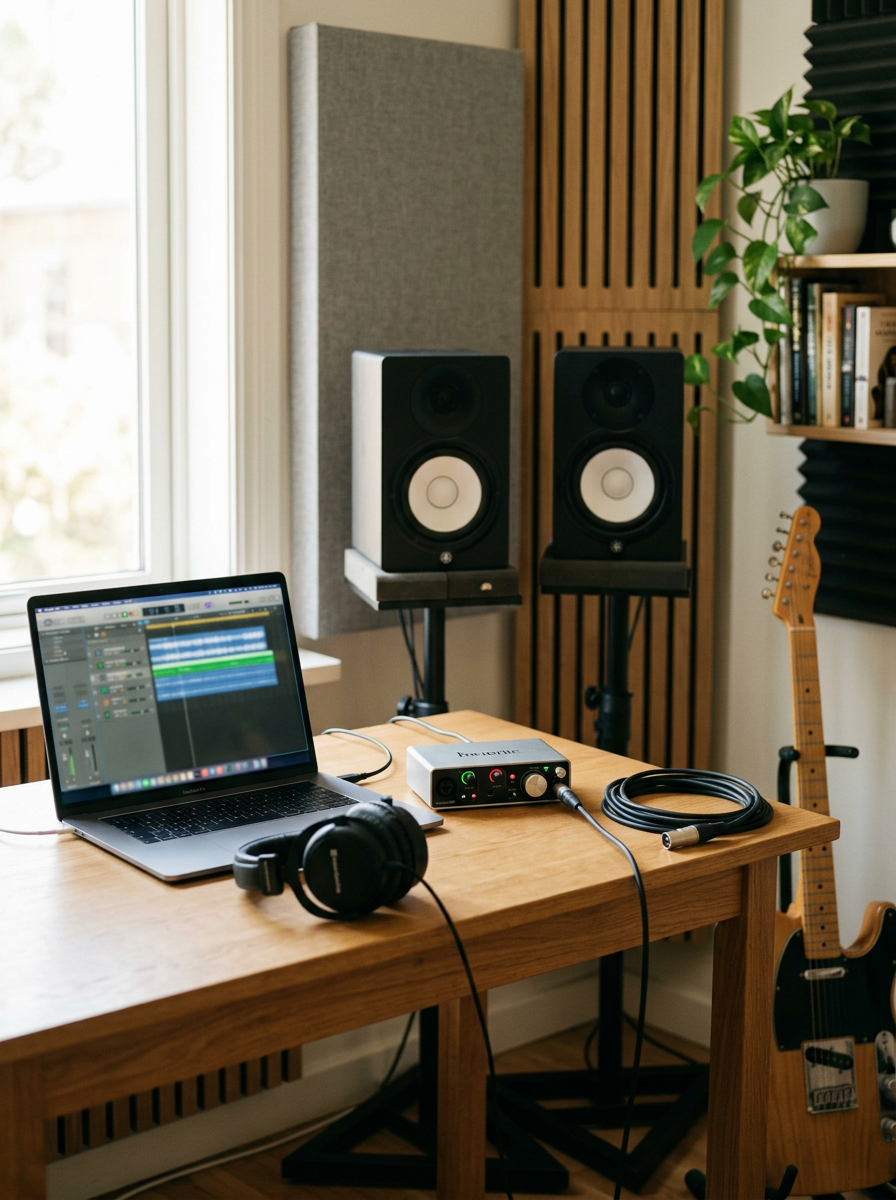
AI-generated editorial illustration; not a product or test photograph.
Short answer
The Focusrite Scarlett 2i2 4th Gen is the best audio interface in these reviews for most music producers because it combines two independently controlled inputs, Focusrite’s low-latency driver ecosystem, balanced monitor connections, and separate monitor and headphone level controls. Choose the Scarlett Solo 3rd Gen for one-at-a-time recording under $150, or the M-Audio M-Track Duo when two mic inputs matter more than driver performance on a tight budget.
6
Product listings discussed; not hands-on tests
6/6
Discussed listings with a recorded price
$49.00–$224.99
Recorded listing price range; not a complete setup cost
Key takeaways
The Scarlett 2i2 4th Gen is the strongest all-around choice for recording two sources or a stereo pair.
Round-trip latency and driver stability matter more for tracking than preamp branding or very high sample-rate claims.
Direct monitoring avoids buffer-delay monitoring, but it does not let you hear DAW plug-ins in real time.
A one-mic interface is sufficient for solo vocals or guitar, while two mic-capable inputs are necessary for stereo recording or two performers.
Treat a room before making expensive monitor upgrades, and use closed-back headphones for recording to minimize microphone bleed.
Products discussed in this article
Editorial scores and recorded prices are reference points, not measurements of suitability for every use. Read each review's specifications and limitations.
Focusrite Scarlett 2i2 4th Gen USB-C Audio Interface8.3
Focusrite Scarlett Solo 3rd Gen USB-C Audio Interface7.8
Focusrite Scarlett Solo 4th Gen USB-C Audio Interface8
M-AUDIO M-Track Duo USB Audio Interface7.1
Behringer UMC22 Audiophile 2x2, 48 kHz USB Audio7.1
M-AUDIO M-Track Solo USB Audio Interface7
Recorded price (USD)
Focusrite Scarlett 2i2 4th Gen USB-C Audio Interface224.99 USD
Focusrite Scarlett Solo 3rd Gen USB-C Audio Interface119.99 USD
Focusrite Scarlett Solo 4th Gen USB-C Audio Interface159.99 USD
M-AUDIO M-Track Duo USB Audio Interface69 USD
Behringer UMC22 Audiophile 2x2, 48 kHz USB Audio52.9 USD
M-AUDIO M-Track Solo USB Audio Interface49 USD
Best audio interfaces compared by price, input layout, monitoring, and stated sample-rate information
Product
Listed price
Input configuration
Maximum sample rate
Direct monitoring
Focusrite Scarlett 2i2 4th Gen
$224.99
2 inputs; two instrument-level DIs
192 kHz
Not specified in reviewed specs
Focusrite Scarlett Solo 3rd Gen
$119.99
1 XLR mic input + 1 instrument input
192 kHz
Direct-monitoring toggle
Focusrite Scarlett Solo 4th Gen
$159.99
1 XLR mic input + 1 high-impedance instrument input
192 kHz
Not specified in reviewed specs
M-Audio M-Track Duo
$69.00
2 XLR/1/4-inch combo inputs
48 kHz
USB/Direct switch
Behringer UMC22
$52.90
1 XLR/1/4-inch combo input + 1 instrument input
48 kHz standard
Physical direct monitor control
M-Audio M-Track Solo
$49.00
1 XLR/line input + 1 instrument input
Not specified in reviewed specs
USB/Direct switch
What is the best audio interface overall?
The Focusrite Scarlett 2i2 4th Gen is our best overall audio interface for music production. At a listed price of $224.99, it is a practical step above entry-level single-input boxes because it supports two inputs, including two instrument-level DI paths, and gives the monitor and headphone outputs separate level controls. That makes it suitable for recording vocal plus guitar simultaneously, two performers, or a stereo microphone setup.
Its 24-bit/192 kHz conversion, specified 120 dB dynamic range, and 69 dB preamp gain range are useful technical assets. More important to the day-to-day recording workflow, its driver efficiency is positioned around manageable round-trip latency. Focusrite does not publish definitive round-trip-latency charts across all sample rates in the reviewed information, so do not assume a specific millisecond result on every computer, DAW, or buffer size.
The 2i2’s Auto Gain and Clip Safe functions can simplify input setup, but they are conveniences rather than substitutes for sensible gain staging. Set a healthy recording level before tracking rather than depending on rescue processing later. Its rear-mounted combination inputs may make desktop cable routing tidier, although front-mounted input access is more convenient for frequent patching.
For a detailed look at its controls and limitations, read our Scarlett 2i2 4th Gen review. If your recording needs are strictly one microphone or one instrument at a time, the lower-cost options in our USB audio interface guide may be the better allocation of your budget.
Best for: two-source recording, stereo mic techniques, and compact mobile rigs
Listed price: $224.99
Main limitation: its cost is a substantial jump from basic single-input interfaces
The Focusrite Scarlett Solo 3rd Gen is the best choice under $150 for musicians who record one source at a time. Its listed price is $119.99, and its workflow is purpose-built for a single XLR microphone plus a separate front-panel instrument input. That is enough for a singer-songwriter tracking vocals, electric guitar, bass, or a keyboard one pass at a time.
The key reason to choose it is not an abstract preamp character claim. The Solo’s mature low-latency drivers, balanced rear 1/4-inch TRS monitor outputs, front headphone output, and direct-monitoring toggle are more consequential in a small DAW setup. The direct-monitoring control provides a path for hearing the input without computer-buffer delay. It is especially useful when a computer cannot run a low buffer reliably.
There are firm boundaries to the Solo format. There is only one XLR mic input, so it cannot record two microphones at once. It also has limited headphone output power for high-impedance headphones. Its stated 56 dB of gain is sufficient for common studio condensers and active ribbon microphones, but low-output dynamic microphones may require gain settings near the maximum.
Buy the Focusrite Scarlett Solo 4th Gen if you want a compact, current-generation one-mic interface and place a high priority on Focusrite’s driver ecosystem. It costs $159.99, or $40 more than the reviewed Solo 3rd Gen, and adds updated conversion performance, clear front-panel metering, balanced monitor connections, an independent headphone-volume control, and a specified 120 dB dynamic range at sample rates up to 192 kHz.
It retains the core limitation that matters most: one balanced XLR microphone input and one independent high-impedance instrument input. That is excellent for a solo performer, but it is not a substitute for a dual-mic interface when you need to record two people, a stereo acoustic guitar setup, or a stereo room pair. At this price, comparing it directly with the two-input Scarlett 2i2 4th Gen is sensible.
The Solo 4th Gen has an analog Air circuit intended to add high-frequency presence and subtle harmonic coloration. Treat that as an optional tonal tool, not a reason to ignore latency and routing. Actual input-to-output latency still changes with the sample rate, buffer setting, operating system overhead, and DAW. Check performance on your computer if you need to monitor through amp simulators or vocal effects.
What is the best budget interface with two mic inputs?
The M-Audio M-Track Duo is the value pick when you specifically need two combination XLR/1/4-inch inputs and have only $69 to spend. Unlike a one-mic interface, its two independently controlled combo inputs can accommodate two microphones or a microphone and a line/instrument source. It also includes switchable 48 V phantom power, balanced 1/4-inch TRS main outputs, a headphone output, and a physical USB/Direct monitoring switch.
Those connections solve real entry-level recording problems. A stereo pair or two singers cannot be captured as separate live inputs with the Scarlett Solo models. The direct-monitoring switch is also a practical fallback when computer monitoring delay becomes distracting: it sends the input signal to monitoring before system processing.
The compromises should be clear. The lightweight enclosure is plastic, its maximum sample rate is 48 kHz, and its driver performance under heavier DAW loads trails class leaders in our reviews. That does not make it unusable; it means low-buffer virtual instrument work and software-monitored tracking deserve careful verification on your own machine. Its “Crystal Preamps” label should not outweigh this driver and latency consideration.
The right spending order remains important. If your room is reflective or poorly controlled, room treatment will do more for monitoring decisions than a small upgrade between entry-level interfaces. Explore the broader priorities in our Music production buyer’s guide and review the physical layout in our M-Track Duo review.
Best for: low-cost two-source and stereo tracking
Listed price: $69.00
Maximum sample rate: 48 kHz
Trade-off: weaker driver performance under heavier projects
Yes, the cheapest interfaces can record music, but their limits matter sooner. The Behringer UMC22 at $52.90 and M-Audio M-Track Solo at $49.00 are functional entry points for basic one-person recording. Both provide a microphone path, a dedicated instrument input, and physical direct monitoring. That last feature is more useful during vocal or guitar tracking than a marketing-heavy preamp name, because it bypasses the computer’s monitoring delay.
The UMC22 has one XLR/1/4-inch combination input plus one high-impedance instrument input and operates at a 48 kHz standard sample rate with 16-bit resolution in the reviewed information. On Windows, its driver situation deserves particular attention: stable low-buffer performance must be checked before buying if you expect to play software instruments or monitor plug-ins in real time.
The M-Track Solo adds switchable 48 V phantom power and has a 1 megohm instrument input, but its rear main outputs are unbalanced RCA. Its headphone-output capability may also be limiting with high-impedance headphones. Driver round-trip-latency figures are not publicly specified in the reviewed information, though the direct-monitoring switch remains useful.
Either can be a rational first purchase when the alternative is delaying recording altogether. But if you can afford the Scarlett Solo 3rd Gen, its driver stability and balanced monitor outputs make it the more durable music-production choice. Use our budget planner to set a ceiling that also leaves room for cables, headphones, and basic acoustic improvements.
Choose the UMC22 for: basic mic and instrument recording at $52.90
Choose the M-Track Solo for: an extremely low-cost compact setup at $49.00
Avoid assuming: direct monitoring equals low-latency plug-in monitoring
How should you choose an audio interface for your setup?
Start with the number of sources you must record at the same time. A solo vocalist, guitarist, or bassist can work effectively with one mic-capable input, making either Scarlett Solo a logical fit. If you need vocal plus guitar simultaneously, two vocalists, or a stereo microphone pair, buy a two-input interface from the beginning. An interface cannot create a second independent microphone channel through an adapter.
Next, assess monitoring. Round-trip latency is the delay from analog input through conversion, the computer and DAW, then back to your headphones or monitors. It is affected by buffer size, sample rate, driver design, the operating system, USB configuration, plug-ins, and computer load. Because actual results are system-specific, published sample-rate capability alone does not predict comfortable tracking latency. A direct-monitor option avoids delay for the dry input but does not provide real-time DAW effects.
Then plan the surrounding studio system. Use closed-back headphones for vocal and instrument tracking so backing tracks do not leak into an open microphone. Reserve open-back headphones for mixing, where isolation is not required. For monitor-based mixing, treat the room before upgrading monitor size or chasing converter specifications; reflections and bass buildup can mislead decisions far more dramatically.
Avoid USB microphones and streaming-focused mixers when the goal is a flexible music-production chain. A dedicated interface gives you an upgrade path for XLR microphones, monitor outputs, and instrument inputs. For common purchasing errors, see our music-production mistakes guide, and browse all our Music production reviews.
One source at once: Solo-class interface
Two sources or stereo: 2i2 or M-Track Duo class
DAW effects while tracking: verify latency on your exact computer
Mixing accuracy: prioritize acoustic control before monitor upgrades
Count the microphones and instruments you need to record at the same time.
Confirm that the interface has XLR inputs and 48 V phantom power if you plan to use a condenser microphone.
Check whether the main outputs are balanced if you will connect studio monitors with longer cable runs.
Confirm that a direct-monitoring control is available if you expect to record vocals or instruments on a modest computer.
Check driver support and expected low-buffer behavior for your operating system and DAW.
Match headphones to the task: closed-back for tracking and open-back for mixing.
Set aside budget for room treatment and cables rather than spending everything on interface specifications.
Frequently asked questions
Do I need an audio interface to record music?
You need an audio interface when you want to connect XLR microphones, instruments, headphones, or studio monitors to a computer in a flexible recording setup. USB microphones can record directly, but they do not offer the same input expansion, monitor-output routing, or component-by-component upgrade path as an XLR microphone and dedicated interface.
Is the Focusrite Scarlett 2i2 worth more than the Solo?
The 2i2 is worth more when you need two independent inputs at once, such as vocal plus guitar, two singers, or a stereo microphone pair. The Solo is the better-value choice if you always record one source at a time. Both reviewed Focusrite models emphasize a stable driver ecosystem, but the 2i2 has greater recording flexibility.
What is round-trip latency on an audio interface?
Round-trip latency is the total delay when an analog signal enters an interface, travels through the computer and DAW, then returns to headphones or speakers. Buffer size, sample rate, drivers, plug-ins, operating system overhead, and computer load affect it. Direct monitoring can bypass this delay for a dry input signal.
Is 48 kHz good enough for home recording?
Yes, 48 kHz is adequate for standard digital audio, streaming, and many home-recording workflows. The reviewed M-Track Duo and UMC22 use 48 kHz as their stated maximum or standard operating point. Higher available sample rates do not automatically produce better recordings; stable drivers, competent gain staging, and the room matter more.
Why does an interface need phantom power?
Phantom power is 48 V power sent through an XLR cable to operate many condenser microphones. The M-Audio M-Track Duo and M-Track Solo include switchable 48 V phantom power. Check your microphone’s exact requirements and the manufacturer instructions before enabling it, especially when connecting equipment other than a condenser microphone.
Should I buy studio monitors before room treatment?
Usually, no. Reflections, boundary effects, and bass buildup in an untreated room can distort what you hear from any monitor. Basic acoustic treatment and thoughtful speaker placement often improve decision-making more than moving between similarly priced monitors. Closed-back headphones help during tracking, while open-back headphones can be useful for mixing checks.
Amazon links are affiliate links; we may earn a commission at no cost to you.
Sources and limits
This page summarizes our research reviews of Amazon listings, listed specifications and captured buyer ratings. It is not a hands-on test. Scores are editorial assessments, not measured performance; prices are recorded snapshots and may change. A category can include both main products and accessories, so its overall price range is not the cost of a complete setup.
Most recent product record update: October 3, 2026. Individual records may be older; this is not a verification date for every claim.
Choose the product type first. These groups require a match in the listing title; an import search term alone is not enough. Scores rank our recorded research assessments within each group, not independently measured performance.
Round-trip latency and driver quality beat preamp marketing.
Treat the room before upgrading the monitors.
Closed-back for tracking, open-back for mixing.
If a specification, certification or compatibility detail is absent, mark it as unknown and ask the seller or manufacturer. Do not substitute a star rating, an editorial score or a different model's specification.


 Focusrite Scarlett 2i2 4th Gen USB-C Audio Interface