Art supplies & tablets

Wacom Intuos Small, Bluetooth Graphic Drawing Tablet with Pen + Software

The Wacom Intuos Small Bluetooth provides a dependable entry point for digital mark-making using an electro-magnetic resonance stylus and dual connectivity options. Retailing at $69.95, it relies on proven input consistency rather than cutting-edge hardware specifications.

Research review based on the manufacturer's listing, published specifications and buyer ratings, updated 05/10/2026. Not a hands-on test — see how we review.

Wacom Intuos Small, Bluetooth Graphic Drawing Tablet with Pen + Software
Price

$69.95

Amazon rating

4.4

4.4
Ratings

5,630

Best for Entry-level digital sketching and compact desk setups

At roughly seventy dollars, this screenless tablet provides wireless connectivity and dependable driver support without introducing the parallax complications of low-cost display monitors. The small form factor requires acclimating to a compressed drawing area and off-screen hand-eye coordination. It is an affordable, functional entry point where surface texture and software stability matter more than sheer pressure specifications.

What we like

  • Bluetooth connectivity reduces workspace cable clutter
  • No display eliminates parallax concerns entirely
  • Accessible price point for dependable hardware support

What to weigh up

  • Small active area restricts sweeping arm movements
  • Steep learning curve for off-screen hand-eye coordination
Check today's price on Amazon

Price and rating were captured on 05/10/2026 and change often. We earn a commission on qualifying purchases.

Our scorecard

Weighted against our category rules
8.2out of 10
Overall
  • Pressure response8.0

    Standard 4096 levels satisfy foundational line weight variation needs cleanly.

  • Surface texture8.3

    Matte finish supplies usable mechanical drag comparable to fine paper.

  • Portability8.9

    Compact frame and Bluetooth interface streamline travel and small workstations.

  • Ergonomics & layout7.6

    Four integrated ExpressKeys are usable, though lacking physical rotary controls.

  • Value proposition8.4

    Aggressive sub-seventy-dollar pricing includes bundled software registrations.

The full review

Design and build

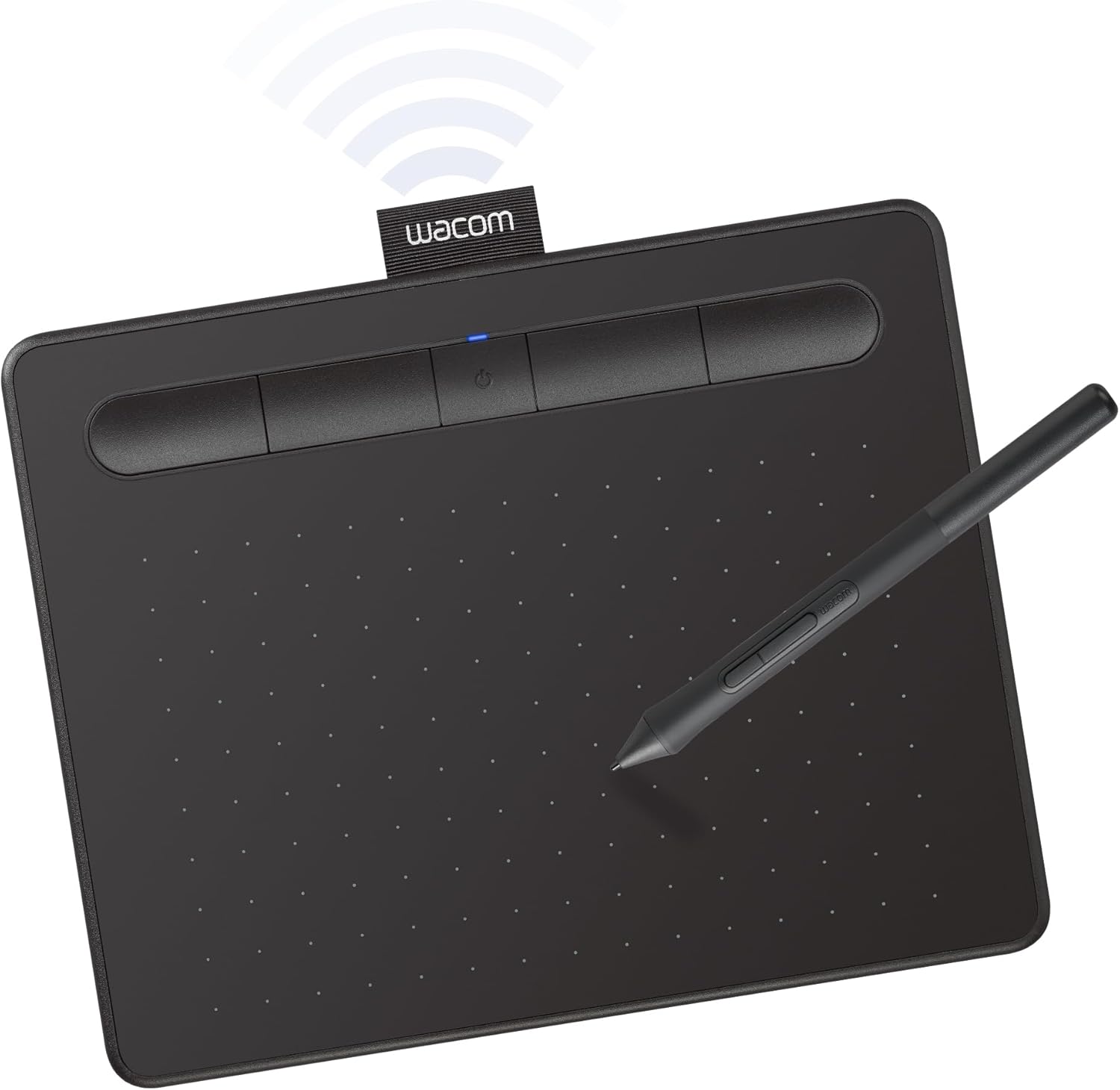
The Wacom Intuos Small, designated model CTL4100WLK0, is a lightweight desktop digitizer built primarily from rigid matte plastic. The upper edge incorporates a slight trough that houses four assignable ExpressKeys along with the central power and Bluetooth pairing indicators. This recessed button layout doubles as a temporary resting groove for the included battery-free stylus. Cable connectivity relies on an included USB-A cable, while internal Bluetooth hardware allows cord-free operation with compatible hosts. The active area is delimited by subtle printed boundary dots directly on the drawing sheet. Because this is an opaque graphics tablet rather than a pen display, the active surface sits completely flat with minimal ledge elevation at the borders. While the plastic chassis feels featherweight, there is little torsional flex during regular desk use. The pen itself remains completely passive, utilizing Wacom's established electro-magnetic resonance (EMR) technology, meaning no internal batteries or recharging routines are needed to maintain continuous tracking.

Real-world performance

In accordance with core digital media principles, digitizer pressure ratings plateau in practical utility; the 4,096 levels offered here easily register smooth gradients without noticeable stepping. More critical to the drawing experience is surface feel and coordination. Because the Intuos Small is a screenless tablet, optical parallax between pen tip and display pixels is fundamentally non-existent. Instead, visual coordination occurs entirely on the user's monitor while hand movement stays on the desk. The textured tablet sheet yields a tactile drag that prevents the nib from slipping freely, approximating the resistance of standard dry media on smooth drafting paper. Bluetooth pairing maintains stable tracking for general sketching, though connecting through the wired USB-A interface remains preferable to eliminate any marginal transmission lag during rapid cross-hatching. Multi-platform driver support covers Windows, macOS, Chrome OS, and selected Android devices, handling stroke velocity and pressure transition reliably across varied production software.

Value for money

At an established price point of $69.95 backed by a 4.4 out of 5 customer average across 5,630 ratings, the Intuos Small occupies an accessible tier in creative hardware. The financial proposition is strengthened by Wacom's inclusion of access to third-party creative software and instructional packages upon hardware registration. While competing generic digitizers sometimes push higher on-paper pressure metrics, real-world usability hinges more on steady input mapping, predictable calibration, and nib longevity. The Intuos maintains these fundamentals without requiring recurring battery changes. It carries a standard one-year manufacturer warranty, which aligns with entry-level consumer electronics standards. For students, educators marking documents, and digital illustrators starting out, the initial investment is modest considering the durability of passive EMR technology. The primary limitation to keep in mind remains active surface area rather than internal electronics or component reliability.

Who should skip it

Illustrators and concept artists who draw from the shoulder will find the Small footprint restrictive. The compact active working dimension forces input predominantly into wrist and finger pivots, which can accelerate hand fatigue during prolonged production cycles. Such users should skip this compact variant in favor of a Medium size or larger drawing slate. Professionals who require physical touch strips, rotary modifier wheels, or hardware tilt sensitivity must also bypass the CTL4100WLK0, as its feature set is strictly limited to basic pressure detection and four simple shortcut toggles. Finally, creators transitioning from traditional media who cannot adapt to hand-eye separation—looking up at a monitor while drawing down on a slate—should bypass opaque tablets entirely. For that demographic, an interactive pen display eliminates hand-eye dislocation, albeit at a significantly higher initial investment and desk space requirement.
Specifications

As listed by the manufacturer
BrandWacom
Model NameIntuos S
Target AudienceStudent, Teacher
Model NumberCTL4100WLK0
Global Trade Identification Number00753218986870
Number of Items1
ManufacturerWacom Technology Corporation
UPC753218986870
Item HighlightBattery-free pen, 4 ExpressKeys for shortcuts, works with Mac, Windows & Chromebook; Ideal for creators, students & teachers
Unit Count1 Count
External Testing CertificationNão aplicável, Não aplicável
Item Type NameWacom CTL4100WLK0 Intuos Bluetooth Pen Tablet, Small, Black
Mfr Part NumberCTL4100WLK0
Warranty Description1 year
Connectivity TechnologyBluetooth, USB-A
Pressure Sensitivity4096 levels

What the maker claims

  • Wacom Intuos Small Bluetooth Graphics Drawing Tablet: Enjoy industry leading tablet performance in superior control and precision with Wacom's EMR, battery free technology that feels like pen on paper
  • Works With All Software: Wacom Intuos tablet can be used in any software program to explore new facets of digital creativity; draw, paint, edit photos/videos, create designs, and mark up documents
  • Wireless Superior Connectivity: Connect wirelessly via Bluetooth or directly using USB-A cable which enables you to work, draw or create whether it's at a desk, on the sofa, in classroom or even outside
  • Software and Training Included: Only Wacom gives you software with every purchase. Register your Intuos tablet and gain access to some of the best creative software and Wacom's online training
  • Wacom is the Global Leader in Drawing Tablet and Displays: For over 40 years in pen display and tablet market, you can trust that Wacom to help you bring your vision, ideas and creativity to life

How it compares

Same category
ProductPriceRatingRatings countOur score
Wacom Intuos Small, Bluetooth Graphic Drawing Tablet with Pe (this one)$69.954.45,630 ratings8.2
Wacom Intuos Small, Wired Graphic Drawing Tablet with Pen + $39.954.623,907 ratings8.1
XPPen Deco 01 V3 10x6 Drawing Tablet, 16K Battery-Free Stylu$44.004.514,476 ratings8.3
XP-PEN Artist12 11.6 Inch FHD Drawing Monitor Pen Display Gr$169.994.412,124 ratings7.5
Caliart Alcohol Markers 100 Colors Dual Tip Fine & Chisel Ar$39.994.610,195 ratings7.3

Common questions

Does the stylus require batteries or charging cables?
No. The Intuos pen relies entirely on passive electro-magnetic resonance (EMR) powered directly by the tablet's surface field. It requires no internal batteries, charging cradles, or external cables to operate, allowing for continuous drafting without interruptions for recharging.
How does 4,096 levels of pressure sensitivity affect daily drawing?
Pressure levels plateau in noticeable real-world utility past baseline thresholds. At 4,096 discrete levels, this tablet delivers seamless line-width and opacity modulation for drafting, photo retouching, and painting without visible artifacting, stepping, or abrupt threshold jumps during varied hand pressure.
Does this tablet introduce any optical parallax during operation?
Optical parallax cannot occur on this device because it lacks an integrated screen. Because users draw on the textured plastic pad while viewing their external monitor, the distance between the glass layer and screen pixels found on pen displays is non-existent here.
What connection options are available out of the box?
The Intuos Small features built-in Bluetooth connectivity for cord-free operation with supported computers and mobile devices. A standard USB-A cable is also supplied for direct, low-latency wired operation, battery charging, or use with legacy desktop systems lacking wireless receivers.

How we judge art supplies & tablets

  1. Rule 01

    Pressure levels plateau; parallax and texture are what you feel.

  2. Rule 02

    Paper weight above 300 gsm handles wet media without buckling.

  3. Rule 03

    Lightfastness ratings decide whether work survives a decade.

Ready to buy?

Prices move daily. Check the current listing before you decide — the figures above were captured on 05/10/2026.

View on Amazon