Mechanical keyboards & desk accessories

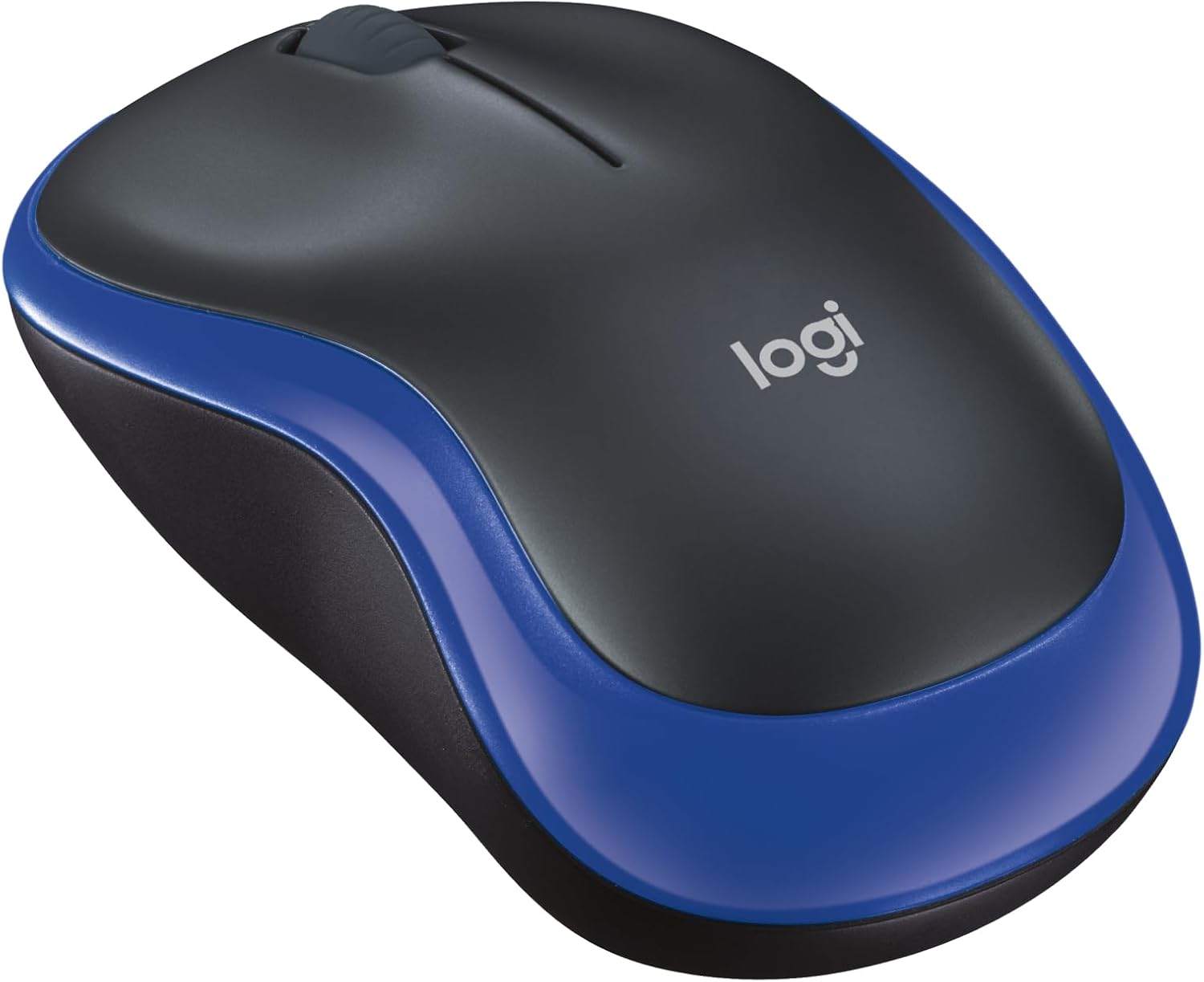
Logitech M185 Compact Ambidextrous Wireless Mouse with Rubber Grips - Blue

The Logitech M185 is an entry-level, compact wireless mouse designed for mobile office tasks and minimal desk footprints. At $15.99, it prioritizes essential utility, universal OS compatibility, and extended battery life over advanced tracking or ergonomics.

Logitech M185 Compact Ambidextrous Wireless Mouse with Rubber Grips - Blue
Price

$15.99

Amazon rating

4.4

4.4
Ratings

45,002

Best for Basic computing where extra grip is needed

This variant adds textured rubber side grips to the standard M185 chassis for slightly better hand retention. It shares the same compact dimensions, remaining too small for comfortable full-palm resting during all-day typing routines. Check whether the modest grip enhancement warrants the slight price premium over the baseline model.

What we like

  • Rubberized side panels improve purchase
  • Reliable wireless link with low power draw
  • Symmetrical casing suits left or right hands

What to weigh up

  • Inadequate palm support for all-day desks
  • Entry-level optical tracking limited to mouse pads
Check today's price on Amazon

Price and rating were captured on 15/09/2026 and change often. We earn a commission on qualifying purchases.

Our scorecard

Weighted against our category rules
7.3out of 10
Overall
  • Build quality6.8

    Rigid recycled plastic shell with durable construction but lightweight feel.

  • Ergonomics6.2

    Symmetrical compact profile fits small hands but lacks palm support.

  • Sensor performance6.0

    Fixed 1000 DPI optical sensor handles basic tasks without adjustability.

  • Battery efficiency8.8

    Year-long operation via sleep mode reduces maintenance requirements considerably.

  • Value for money8.5

    Delivers reliable basic wireless navigation at an accessible entry price.

The full review

Design and build

The Logitech M185 uses a symmetric, compact plastic housing tailored for ambidextrous use. Its modest footprint makes it suitable for small to medium hands or constrained surfaces, though it offers minimal palm support for larger grip styles. Construction incorporates post-consumer recycled plastic—certified at 49 percent for this blue variant—with an overall product carbon footprint measured at 3.97 kg CO2e. The chassis features contoured perimeter texturing, described as rubber grips, providing adequate purchase during transport and light daily computing. The build prioritizes light travel weight over dense premium heft, consistent with utilitarian peripherals. While the metadata table mistakenly lists a single button, the physical architecture delivers standard primary click switches alongside an integrated line-by-line mechanical scroll wheel. It lacks luxury touches like hot-swappable microswitches or specialized chassis dampening found in enthusiast peripherals, focusing strictly on functional rigidity for low-impact environments.

Real-world performance

Navigation is governed by an optical sensor calibrated to a fixed sensitivity of 1000 DPI. For standard productivity duties like document navigation and web browsing, this tracking resolution is adequate, though it lacks the granular acceleration curves or surface adaptability found on higher-tier sensors. Connectivity relies entirely on a dedicated 2.4 GHz RF nano receiver operating up to a rated range of 32 to 33 feet. The connection is plug-and-play across Windows, macOS, and Linux without requiring background utility software. Battery longevity is rated for up to 12 months using automatic standby power management. Buyers should note a specification contradiction: the feature overview states the mouse includes a single AA cell, whereas the hardware table lists AAA compatibility; users should verify the physical battery compartment upon arrival. Within standard desk constraints, RF stability remains solid without latency spikes during basic daily operations.

Value for money

Positioned at an MSRP of $15.99, the M185 targets budget-conscious buyers seeking reliable hardware from an established manufacturer. Its aggregate rating of 4.4 out of 5 stars across 45,002 reviews reflects predictable, dependable performance in mass deployment. For users transitioning from integrated laptop trackpads, the physical tracking speed and line-by-line scroll wheel offer noticeable ergonomic improvements at a nominal financial threshold. The package includes the wireless receiver and power cell in the purchase price, lowering barriers to immediate deployment. Furthermore, the inclusion of a three-year limited hardware warranty extends baseline economic protection well beyond the coverage typical of unbranded generic mice at this price tier. While it excludes rechargeable internal cells, multi-device Bluetooth pairing, or high-grade mechanical switch components, the hardware delivers strong cost efficiency for educational settings, basic office cubicles, and mobile laptop bags where replacement cost matters.

Who should skip it

Users with large hands or those accustomed to resting their full palm weight on their peripheral should bypass the M185. Its compact contouring forces a fingertip or claw grip, which can induce hand strain during sustained eight-hour shifts. Creative professionals needing high-precision tracking on diverse surfaces, such as glass, will also find the fixed 1000 DPI optical assembly restrictive. In addition, desk setup enthusiasts who prioritize tactile switch tuning, hot-swappable PCB layouts, or silent acoustic dampening will find this mouse basic and clattery. Gamers requiring adjustable polling rates, low-latency optical switches, and extra programmable thumb keys must look elsewhere, as the M185 offers no customization software or additional side triggers. Finally, workstations operating exclusively on USB-C without adapters cannot seat the legacy USB-A nano receiver, making native Bluetooth alternatives a superior choice for modern thin-and-light laptop setups.
Specifications

As listed by the manufacturer
Connectivity TechnologyRadio Frequency, USB
Additional FeaturesLightweight, Portable, Wireless
Movement DetectionOptical
Button Quantity1
Hand OrientationAmbidextrous
Compatible DevicesPersonal Computer
Operating SystemWindows 10
Battery Average Life12 months
Number of Batteries1 AAA batteries required. (included)
Hardware PlatformLinux, Mac, PC
Power SourceBattery Powered
Mouse Maximum Sensitivity1000 dots_per_inch
Minimum Required Operating System VersionMac OS X 10.5 Leopard
Range32
ColorBlue
Style NameUSB Receiver

What the maker claims

  • Compact Mouse: With a comfortable and contoured shape, this Logitech ambidextrous wireless mouse feels great in either right or left hand and is far superior to a touchpad
  • Durable and Reliable: This USB wireless mouse features a line-by-line scroll wheel, up to 1 year of battery life (2) thanks to a smart sleep mode function, and comes with the included AA battery
  • Universal Compatibility: Your Logitech mouse works with your Windows PC, Mac, or laptop, so no matter what type of computer you own today or buy tomorrow your mouse will be compatible
  • Plug and Play Simplicity: Just plug in the tiny nano USB receiver and start working in seconds with a strong, reliable connection to your wireless computer mouse up to 33 feet / 10 m (5)
  • Better than touchpad: Get more done by adding M185 to your laptop; according to a recent study, laptop users who chose this mouse over a touchpad were 50% more productive (3) and worked 30% faster (4)
  • Small and portable: The compact size and smooth cursor control make this mouse suitable for small to medium hands, tight workspaces or offices, and busy desktops
  • The plastic parts in M185 include certified post consumer recycled plastic (77% for black and 49% for Charcoal/Grey, Black/Blue Glossy & Black/Red Glossy (6))
  • Product carbon footprint: 3.97 kg CO2e
  • Note: In case of Wireless mouse, the USB receiver will be provided inside or along with the mouse

How it compares

Same category
ProductPriceRatingRatings countOur score
Logitech M185 Compact Ambidextrous Wireless Mouse with Rubbe (this one)$15.994.445,002 ratings7.3
Redragon Mechanical Gaming Keyboard Wired, 11 Programmable B$29.994.36,806 ratings6.8
AULA S99 Gaming Keyboard, Wireless Green Creamy Computer Key$27.994.22,289 ratings6.4
Logitech MX Mechanical Wireless Illuminated Keyboard Tactile$139.994.22,249 ratings6.7
AULA F75 Pro Wireless Mechanical Keyboard,75% Hot Swappable $69.994.61,804 ratings8.7

Common questions

Which battery type does the Logitech M185 actually use?
The specifications present conflicting details: the manufacturer features cite an included AA battery, while the technical specification list states 1 AAA battery is required. Buyers should verify the physical battery tray upon receipt, though standard Logitech M185 units typically utilize a single AA alkaline battery for operation.
Does the M185 require companion software to operate?
No software installation is necessary. The M185 operates via pure plug-and-play functionality using its included 2.4 GHz USB-A nano receiver. It establishes immediate input tracking across supported operating systems, including Windows 10, macOS (OS X 10.5 Leopard or later), and standard Linux distributions, without driver configuration.
Can the mouse sensor sensitivity be adjusted?
No, the optical sensor is hardcoded to a fixed maximum sensitivity of 1000 DPI. Logitech does not provide software support or on-chassis toggle buttons to alter cursor DPI steps. Users requiring variable DPI steps or tailored sensitivity profiles must adjust pointer speed within their computer operating system settings.
Is this mouse suitable for an ergonomic palm grip?
The M185 is a compact ambidextrous mouse designed primarily for mobility and tight work areas. Its short chassis lacks the rear volume necessary to support a full palm grip. Most users, particularly those with medium to large hands, will naturally operate it using a claw or fingertip grip.

How we judge mechanical keyboards & desk accessories

  1. Rule 01

    Gasket mounting and case foam change feel more than switch brand.

  2. Rule 02

    Hot-swap sockets keep a board useful after your taste shifts.

  3. Rule 03

    PBT keycaps stay matte; ABS goes shiny within a year.

Ready to buy?

Prices move daily. Check the current listing before you decide — the figures above were captured on 15/09/2026.

View on Amazon