Design and build
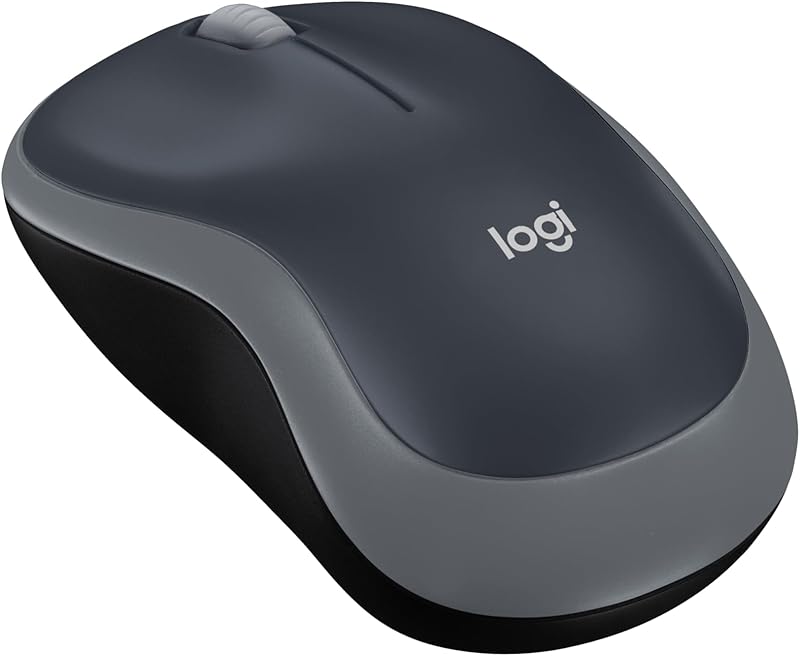
The Logitech M185 uses a strictly symmetrical chassis, allowing left- or right-handed use without physical bias. In the Swift Grey trim, forty-nine percent of the external plastic components derive from certified post-consumer recycled material, resulting in an estimated carbon footprint of 3.97 kg CO2e. The casing is rigid, with mating lines that remain flush under normal gripping pressure. Internally, the battery bay accommodates a single AA cell alongside dedicated storage for the bundled USB nano receiver, preventing loss during transit. The scroll wheel provides stepped, line-by-line tactile feedback rather than free-spinning inertial rotation. While the manufacturer omits an exact gram measurement for total weight, the overall volume remains decidedly compact. This small footprint makes the mouse easy to slip into an accessory pouch alongside a compact mechanical keyboard, though buyers seeking premium structural heft or textured rubber side grips will find only basic molded matte plastic throughout the chassis.
Real-world performance
Sensor performance relies on a standard optical engine locked at 1000 DPI. For common productivity duties, text editing, and spreadsheet manipulation on standard-resolution monitors, this sensitivity provides predictable tracking without perceptible jitter on basic mouse pads. However, because there is no onboard memory, companion software, or physical DPI toggle, navigation across high-resolution 4K arrays requires manual adjustments within the host operating system. The 2.4 GHz nano receiver maintains a stated operational boundary of up to 33 feet or 10 meters, showing minimal susceptibility to interference in standard office environments. Switch actuation produces a defined, audible click across the primary buttons, though switch cycle ratings and internal switch brands are not specified by Logitech. Power management is largely automated, employing smart sleep states to conserve energy when the unit is idle. This low-draw profile enables an estimated twelve-month battery lifespan from the single included AA alkaline cell.
Value for money
At an accessible price point of $13.99, the M185 delivers straightforward utility without unnecessary features. Backed by an aggregate rating of 4.4 out of 5 across more than 45,000 consumer reviews, its position in the budget perimeter market is well documented. The inclusion of a pre-installed AA battery, zero-configuration driver setup, and a three-year limited hardware warranty mitigates standard purchase risks common to generic peripherals in this price bracket. It fulfills the functional requirements of a portable peripheral, acting as an inexpensive companion to a custom mechanical keyboard or a reliable emergency backup when primary wireless pointing devices run out of charge. Users do not pay for auxiliary macro switches, elaborate RGB lighting channels, or internal rechargeable cells, keeping the core value proposition centered entirely on basic input stability and battery longevity.
Who should skip it
Users with medium to large hands who employ a full palm grip should consider larger alternatives, as the compact dimensions force a claw or fingertip hold that may generate hand fatigue during extended desk shifts. Power users who rely on programmable thumb buttons, multi-device Bluetooth pairing toggles, or adjustable sensor DPI will find the single-profile hardware limiting. Those operating in noise-sensitive office environments should verify switch acoustic tolerances, as the mechanical click mechanism is audible rather than silenced. Furthermore, creative professionals requiring high-precision tracking on glass, or those executing micro-movements in design software, will likely require a higher polling rate and an advanced laser or optical sensor with granular sensitivity controls. If your desktop configuration demands multi-host switching between several machines simultaneously, the dedicated single-receiver architecture will prove insufficient.